 English
 简体中文
简体中文
 Bahasa Melayu
WInbox88 Winbox 88 Top Up – Complete Guide to Deposit via EZPAY, WINPAY, and e-Wallet
Step-by-Step Top Up Process
Step 1 – Access the Top Up Page
Log in to your WInbox88 Winbox 88 account and select "Top Up" from the wallet menu. Choose between "Cash" or "Chips" depending on your preferred balance type.
Step 2 – Choose Top Up Method
Select one of the available deposit methods: EZPAY, WINPAY, or e-Wallet. All methods provide encrypted, fast, and secure payment processing.
Step 3 – Select Your Bank or E-Wallet
Depending on the selected method, choose a supported Malaysian bank (Maybank, CIMB, Public Bank, AmBank, UOB, HSBC, etc.) or supported e-Wallet (Touch ‘n Go, ShopeePay, Boost, GrabPay, Mcash).
Step 4 – Enter Deposit Amount
Enter the amount in MYR. Minimum for EZPAY/WINPAY: MYR 20.00. Minimum for e-Wallet: MYR 5.00. Maximum limits: MYR 30,000.00 (bank) or MYR 5,000.00 (e-Wallet).
Step 5 – Confirm and Submit
Review the deposit details, then click "Next." Complete the transaction through online banking or your e-Wallet application.
Step 6 – Automatic Wallet Update
Once payment is completed, your WInbox88 Winbox 88 wallet updates instantly. Transaction history can be viewed in the "Wallet Info" section.
Top Up via EZPAY
Supported Banks
Maybank2U, CIMB, Public Bank, AmBank, Affin Bank, Alliance Bank, UOB, OCBC, Bank Islam, Bank Rakyat, Bank Muamalat, Kuwait Finance House, Standard Chartered, BSN, HSBC, Bank of China.
Deposit Range
Minimum MYR 20.00, maximum MYR 30,000.00 per transaction.
Processing Time
Instant crediting with 24/7 system availability.
Top Up via WINPAY
Supported Banks
Maybank2U, CIMB, Public Bank, RHB, AmBank, Affin Bank, Alliance Bank, UOB, OCBC, Bank Islam, Bank Rakyat, Bank Muamalat, Kuwait Finance House, Standard Chartered, BSN, HSBC, Bank of China.
Deposit Range
Minimum MYR 20.00, maximum MYR 30,000.00 per deposit.
Advantage
WINPAY provides multiple gateway routes to improve success rates and ensure stable connectivity with Malaysian banks.
Top Up via e-Wallet
Supported E-Wallets
Touch ‘n Go, ShopeePay, Boost, GrabPay, Mcash.
Deposit Range
Minimum MYR 5.00, maximum MYR 5,000.00 per transaction.
Fastest Deposit Option
Designed for mobile users, e-Wallet top ups confirm within seconds with real-time balance updates.
Identity Verification (H5 Version)
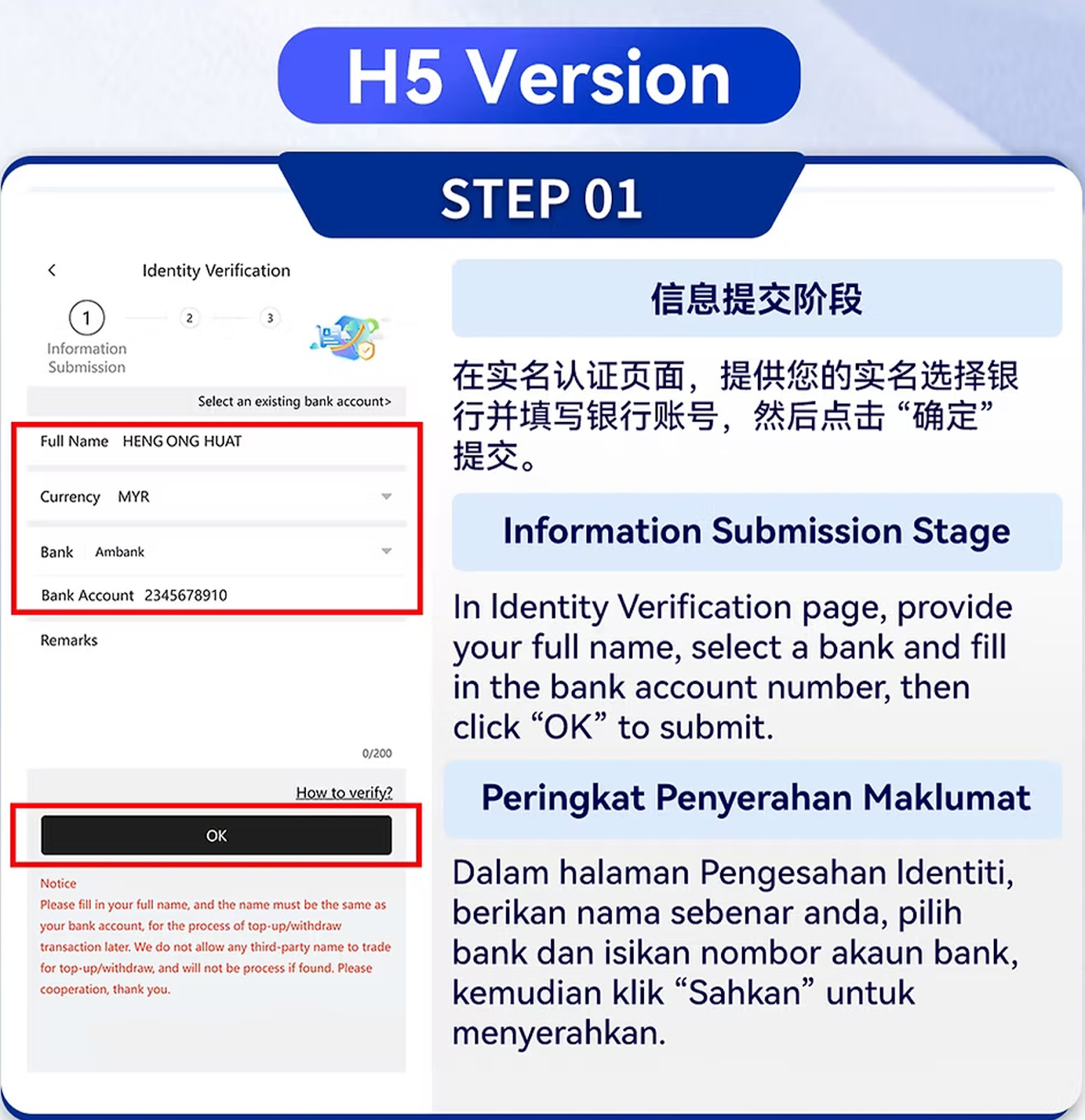
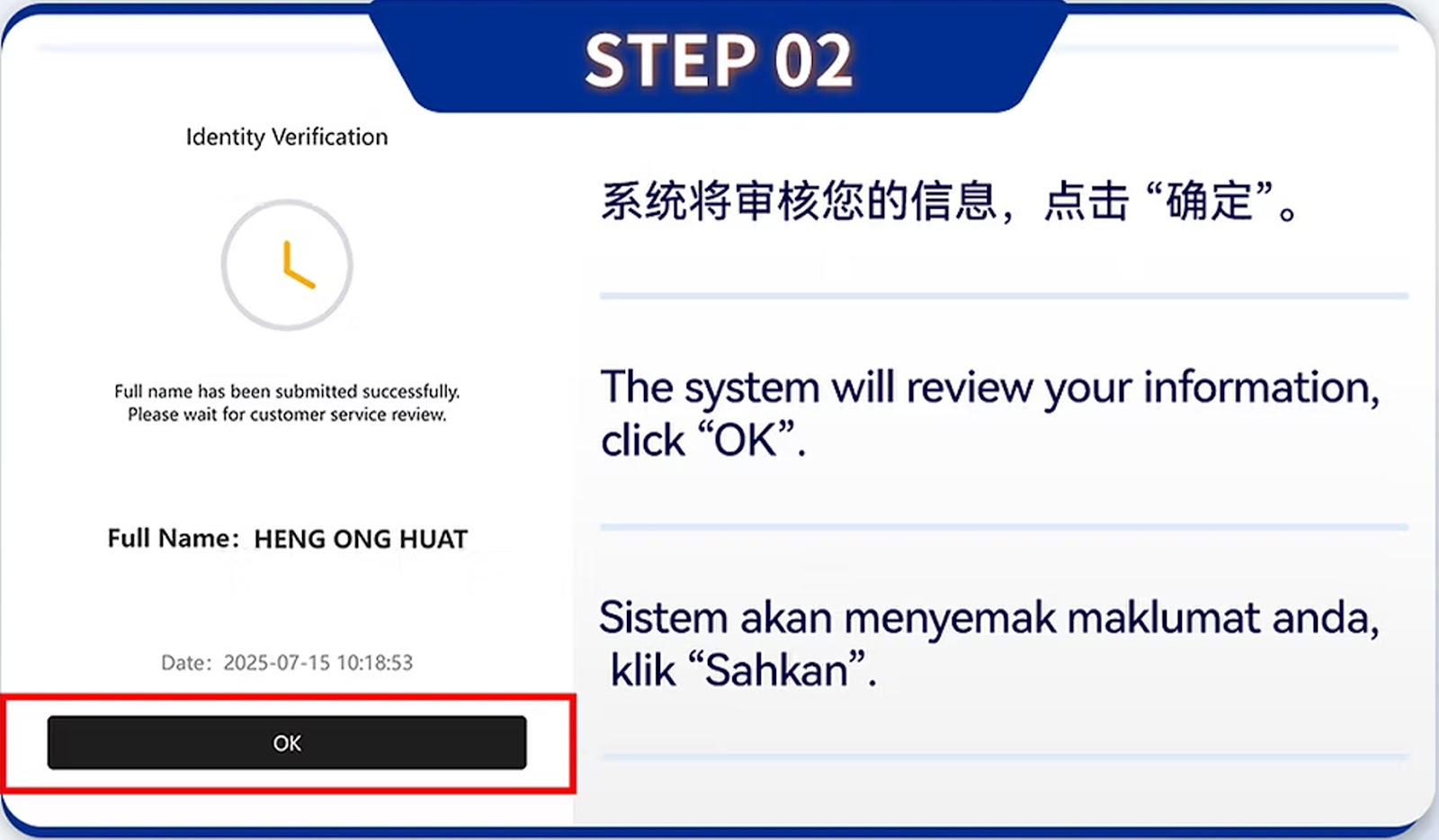
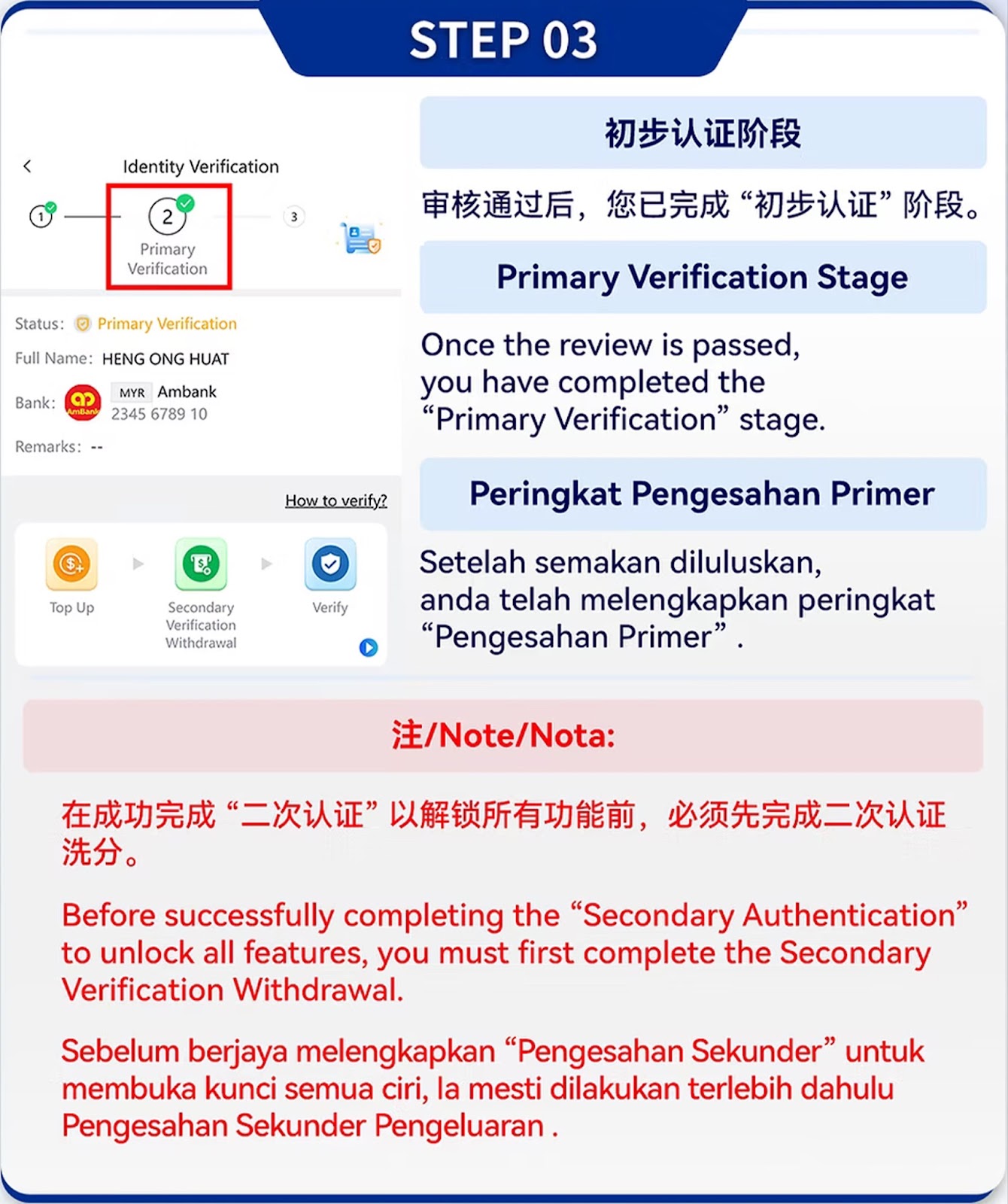
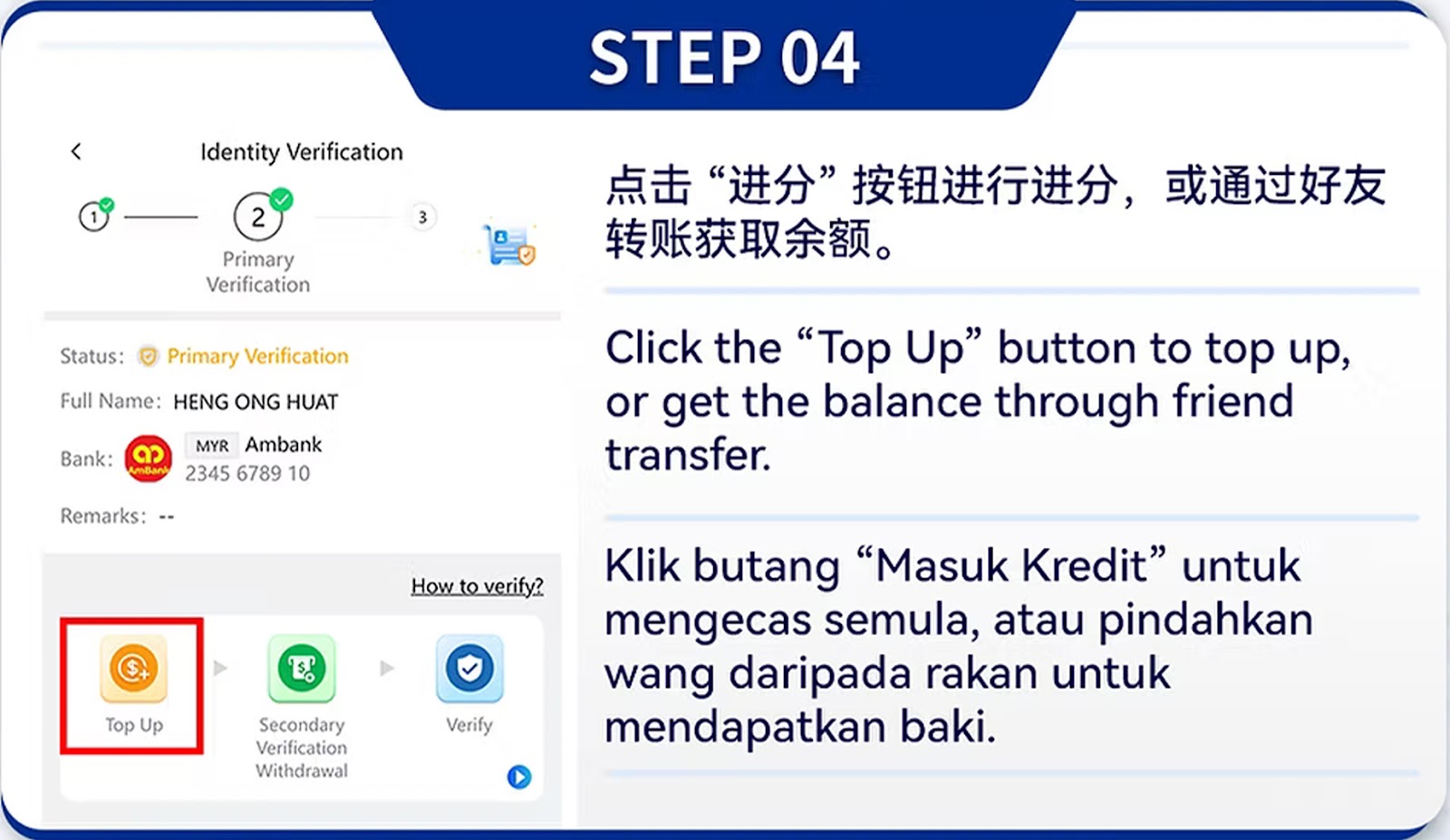
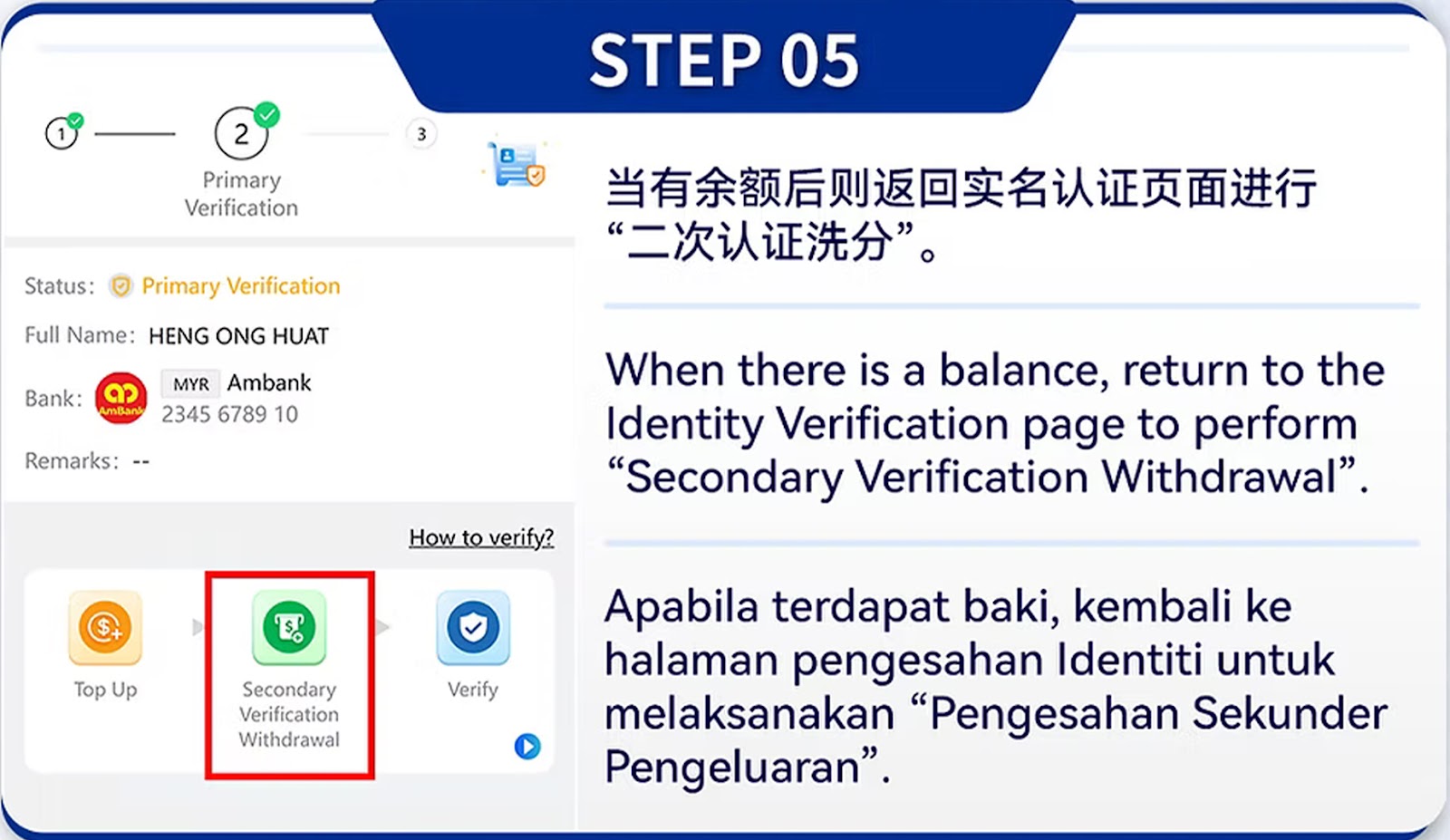
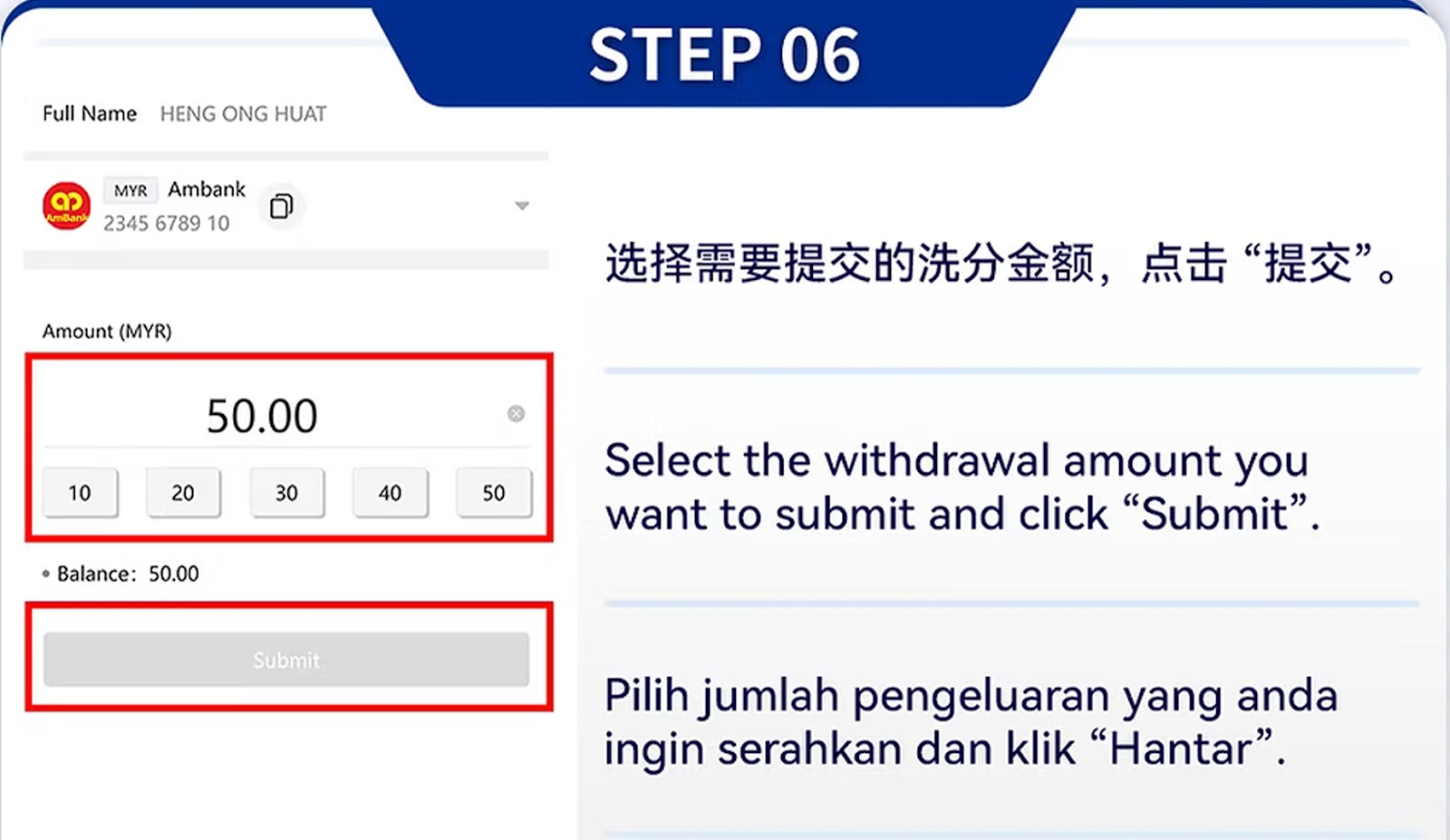
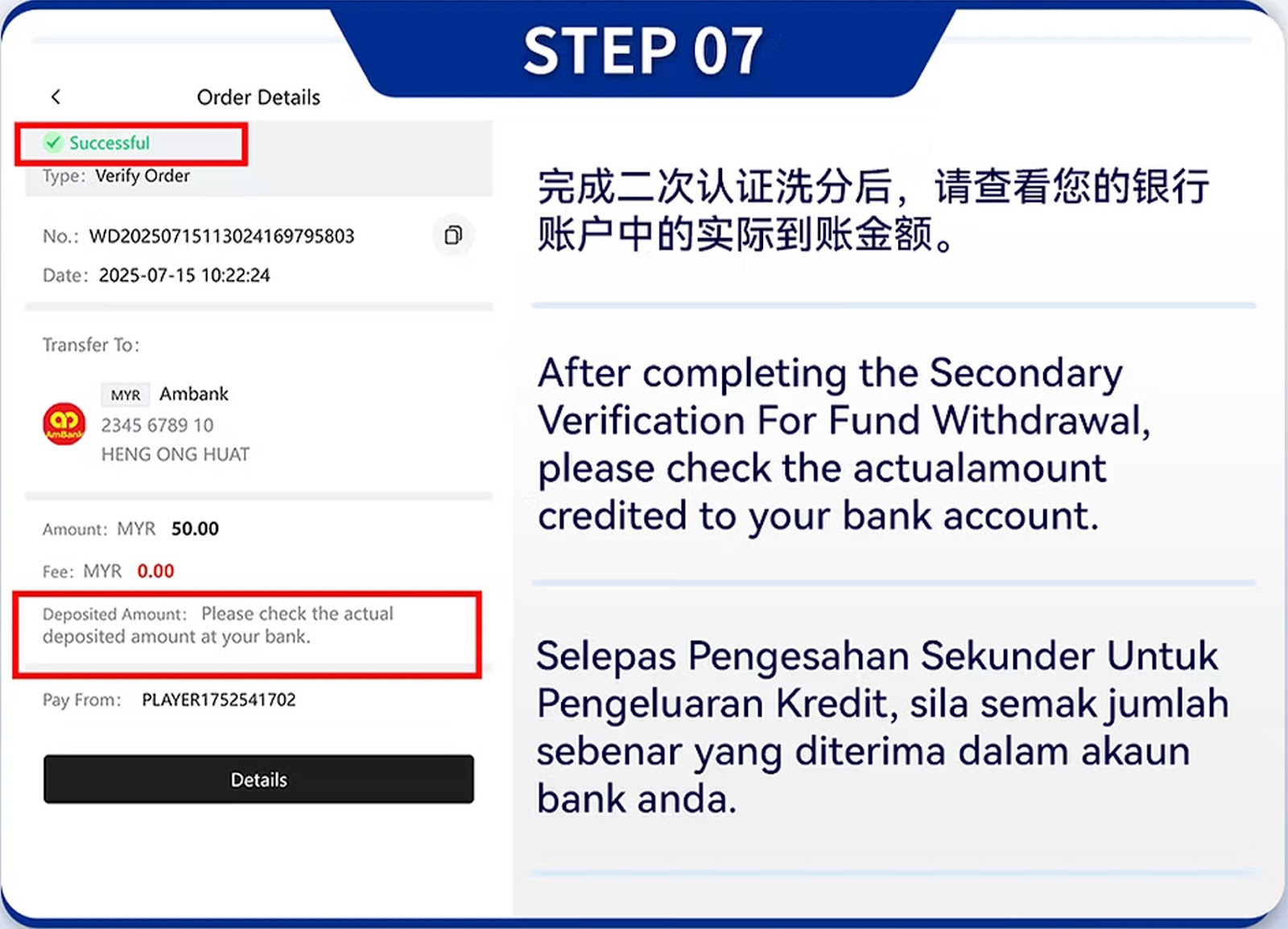
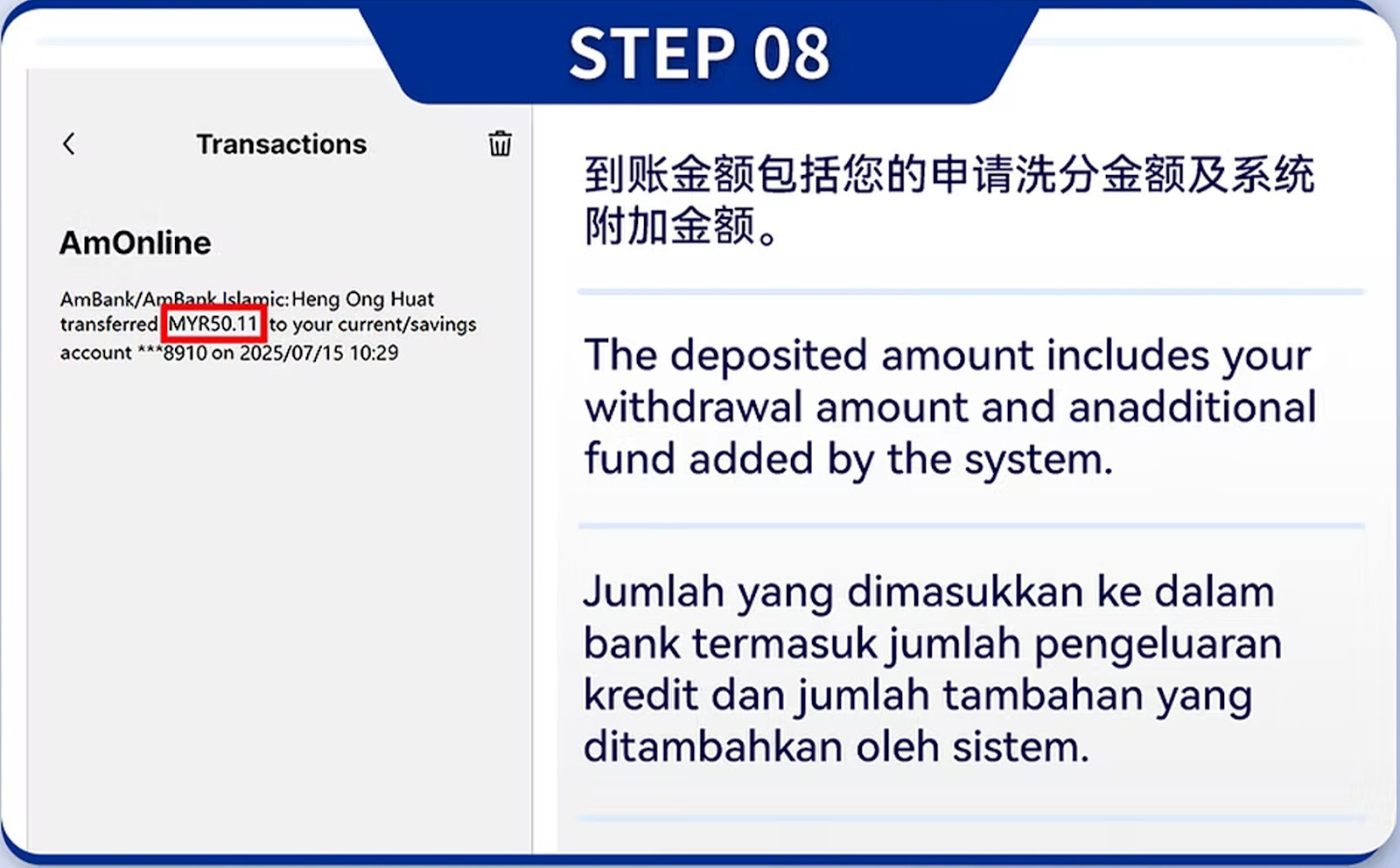
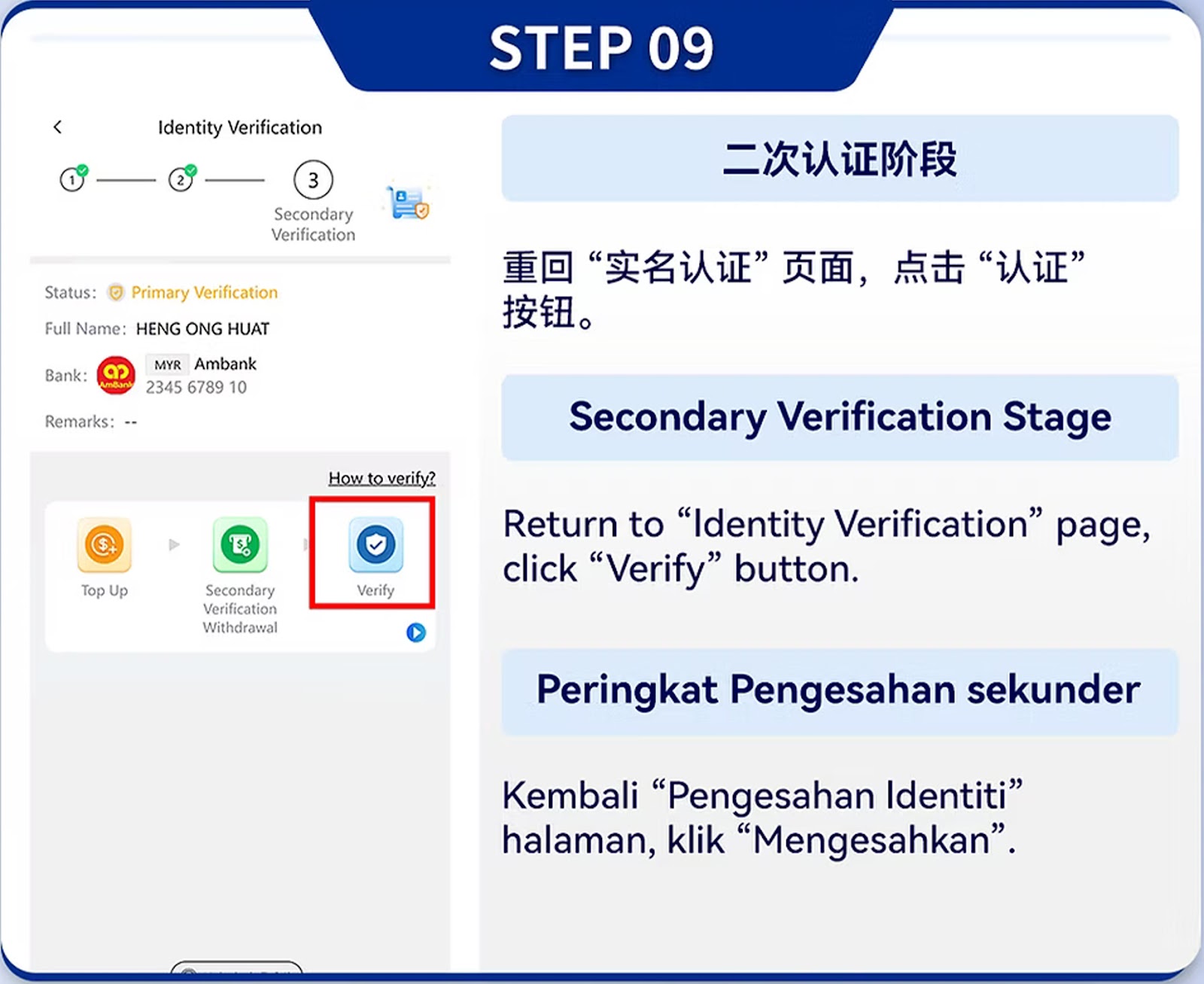
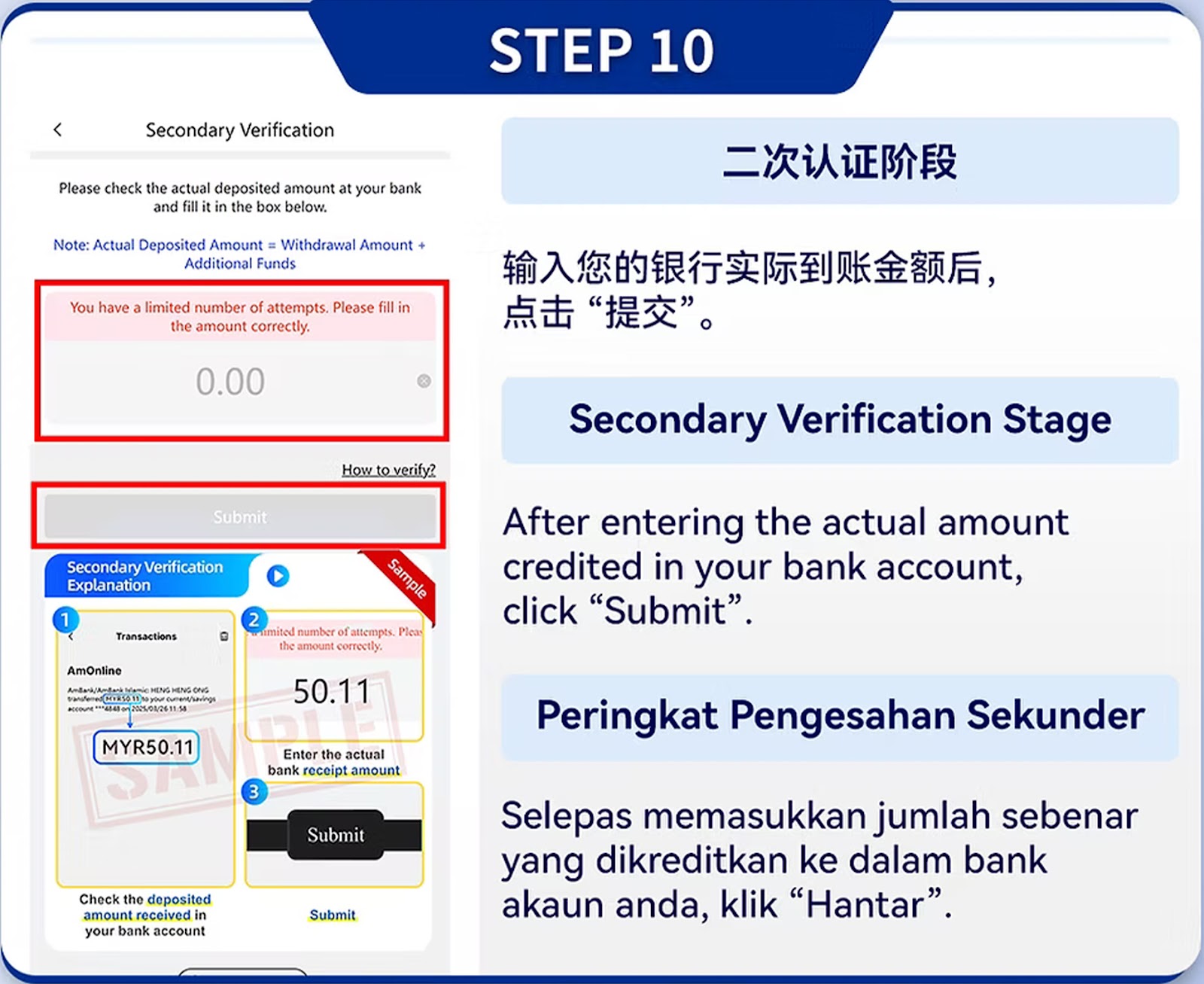
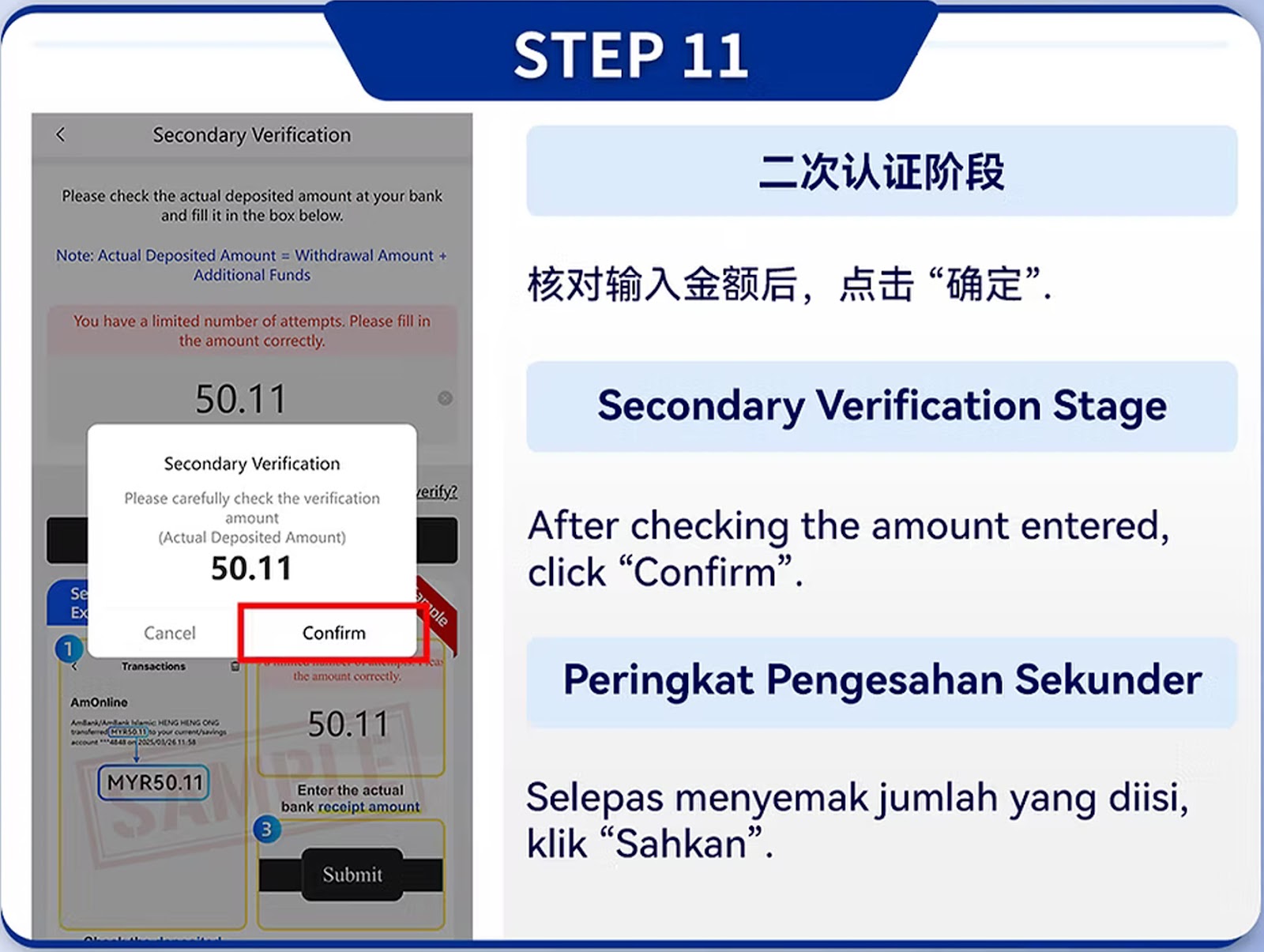
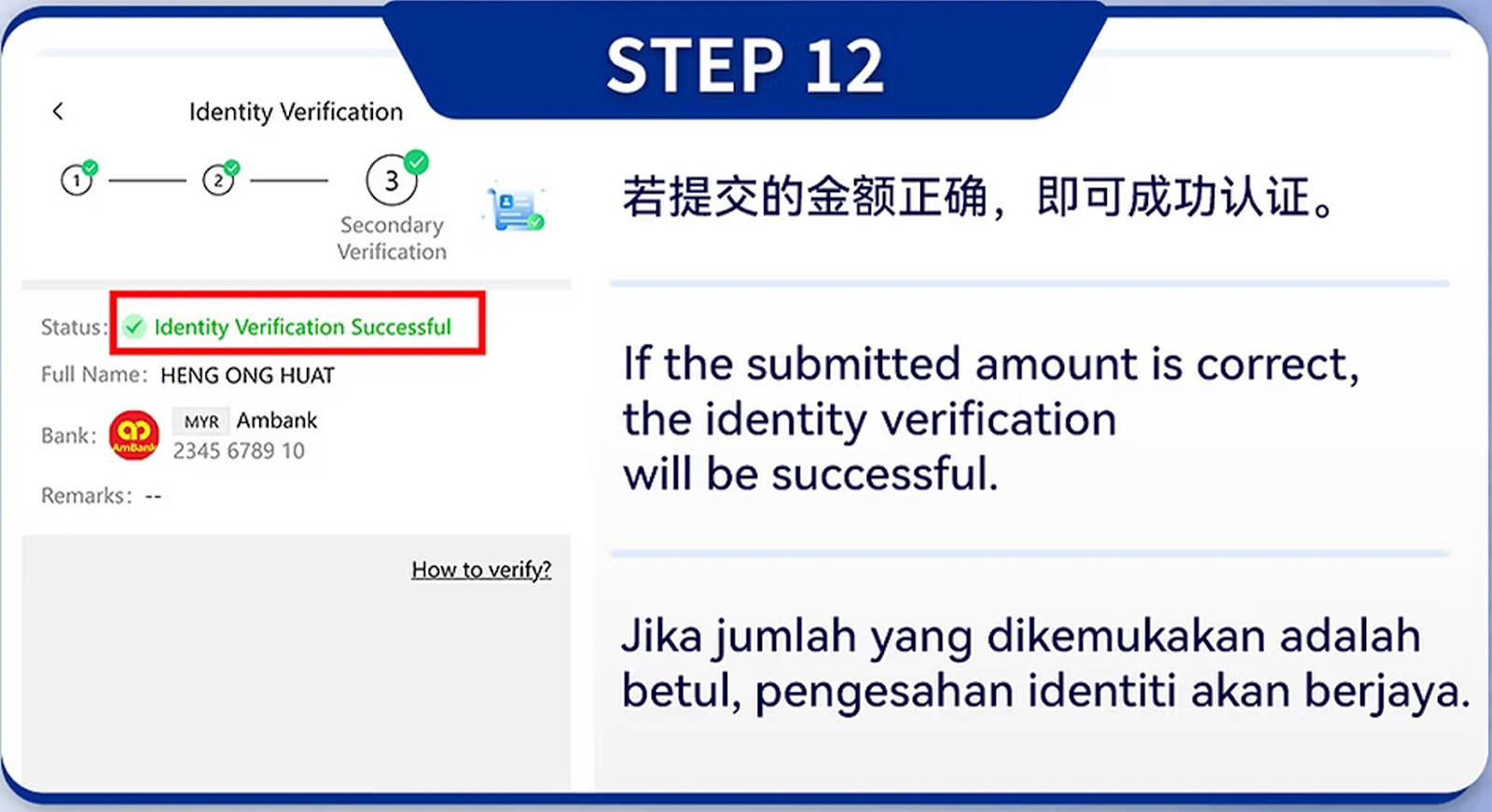
Step 01 – Information Submission Stage
Enter your personal details including name, ID number, and bank account. All information must match your bank records.
Step 02 – Privacy Verification Stage
Upload valid ID documents and confirm contact information to complete initial identity validation.
Step 03 – Secondary Verification Stage
Proceed to secondary verification, confirming identity-linked information.
Step 04 – Bank Binding Requirements
Bind only a bank account under your own legal name; third-party accounts are not allowed.
Step 05 – ID & Account Ownership Verification
Upload identification photos to verify that your ID and bank details match.
Step 06 – Deposit Verification (Amount Entry)
Input the required verification deposit amount displayed by the system.
Step 07 – Deposit Record Upload
Transfer the amount via online banking and upload the receipt.
Step 08 – System Verification Progress
The system verifies your deposit record and personal information.
Step 09 – Secondary Verification (Bank Transfer Check)
The system ensures the bank account truly belongs to you.
Step 10 – Verification Result Review
Verification is approved when details match. Otherwise, resubmission is required.
Step 11 – Amount Confirmation Stage
The system confirms the verified deposit amount.
Step 12 – Final Approval
Once approved, your account becomes fully eligible for all top up and withdrawal methods.
Identity Verification (PC Version)
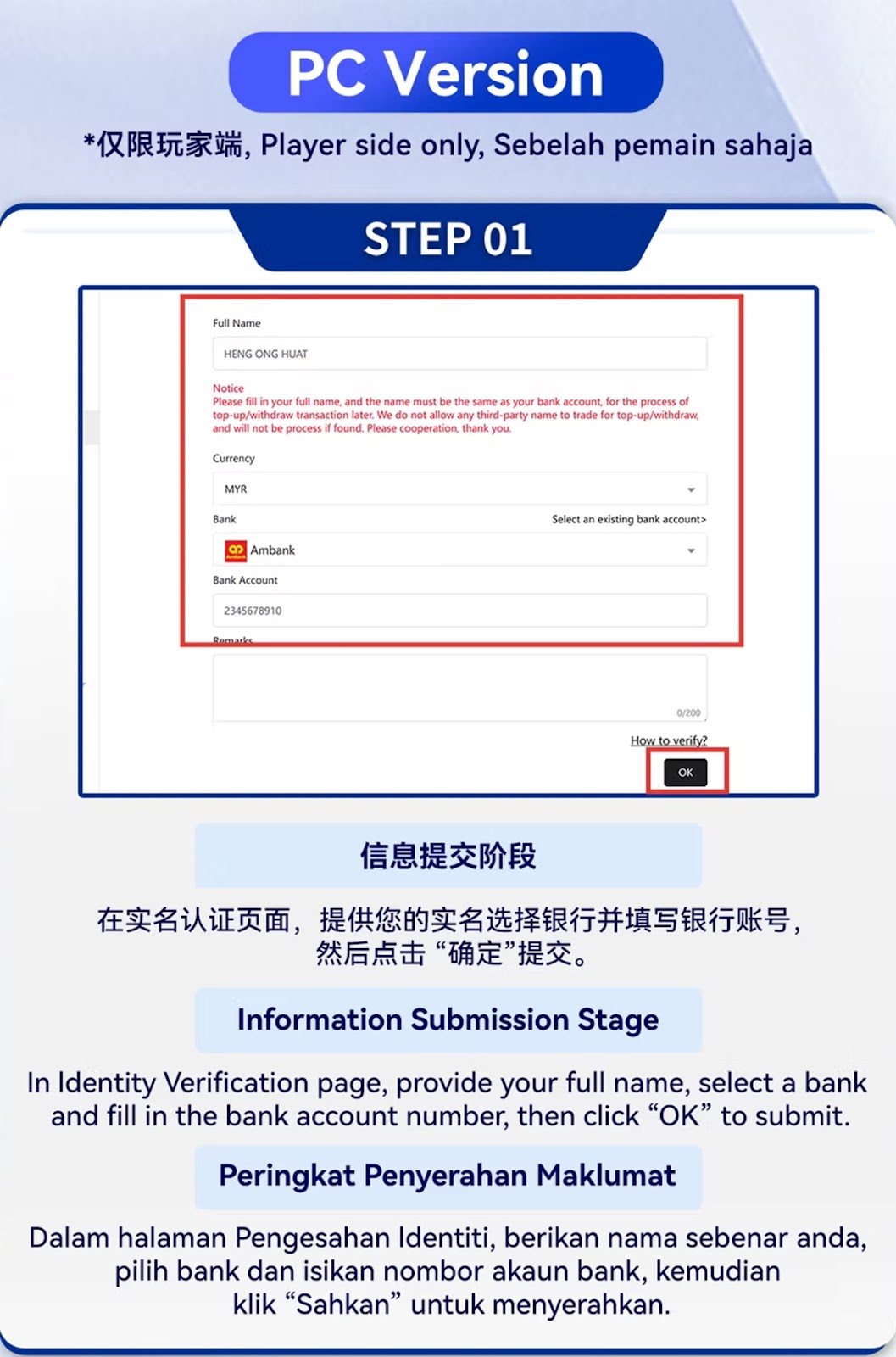
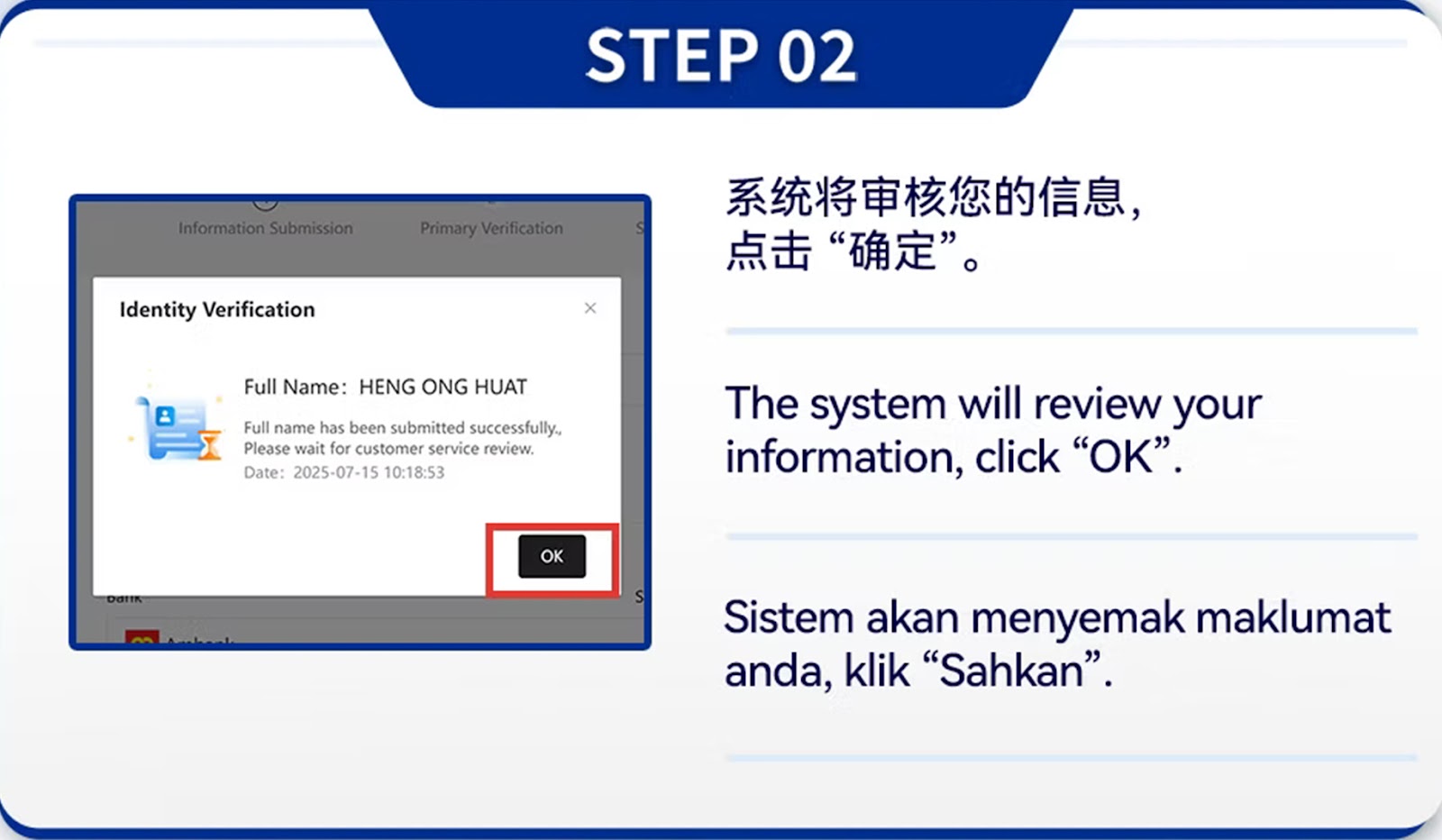
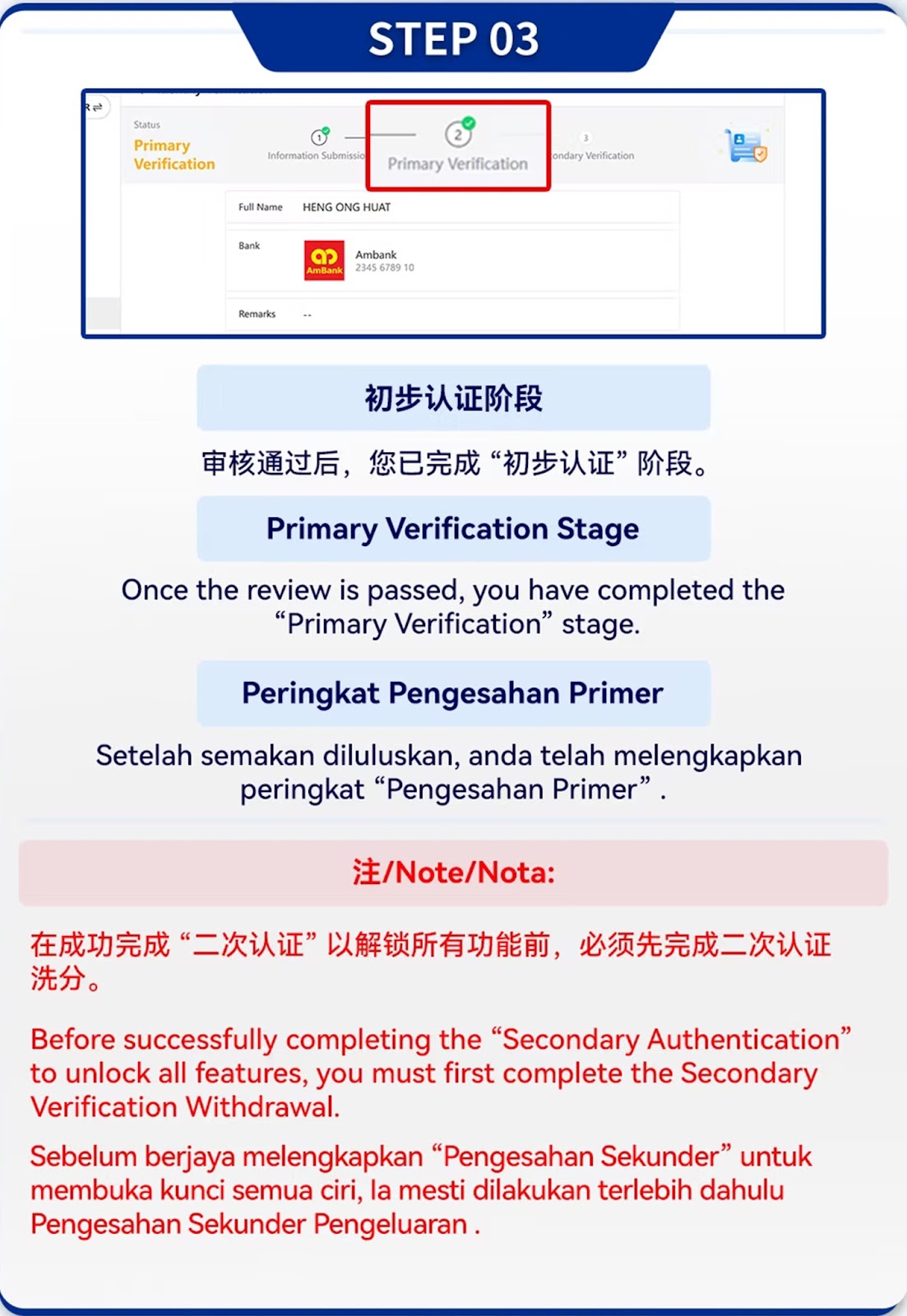
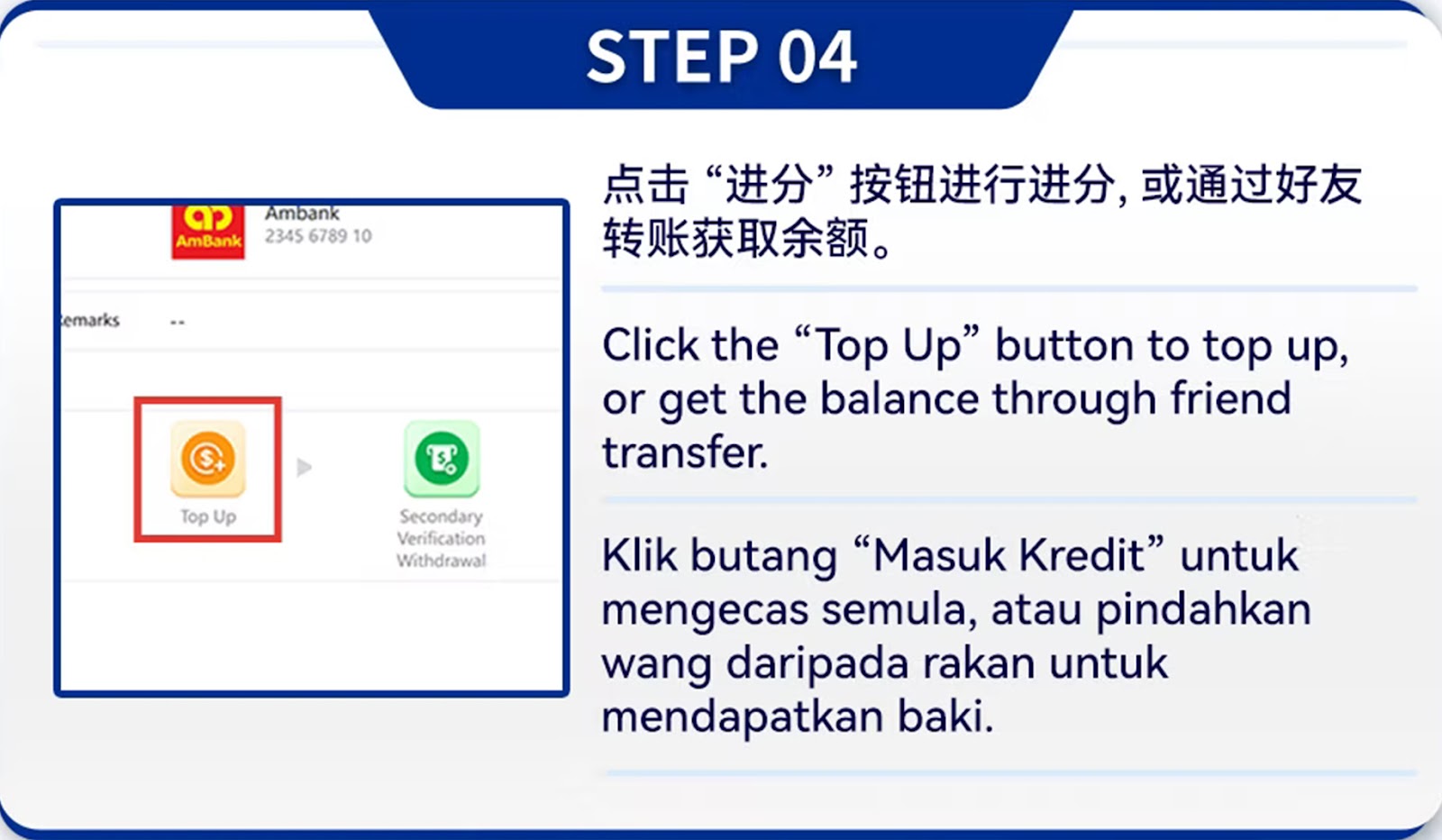
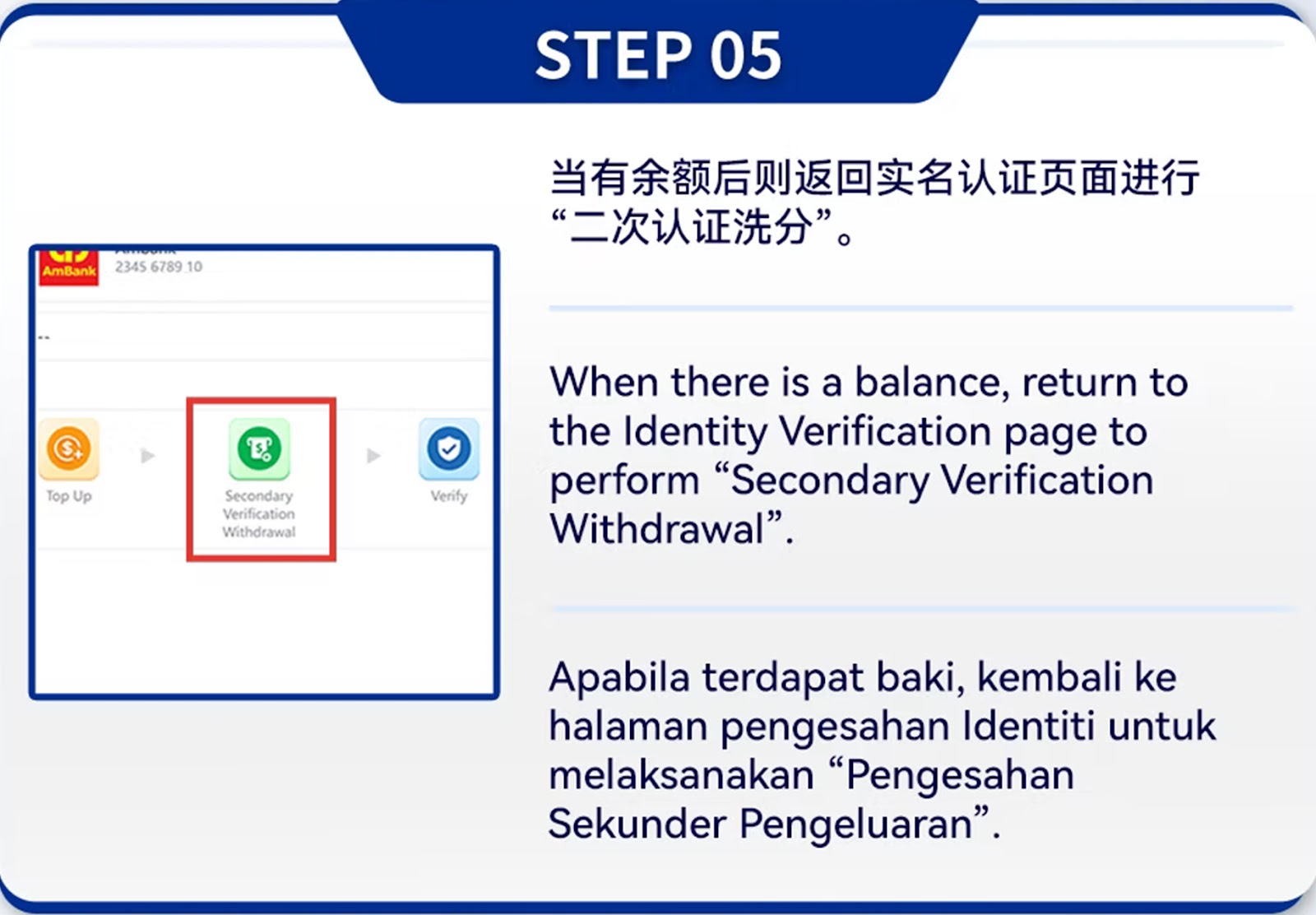
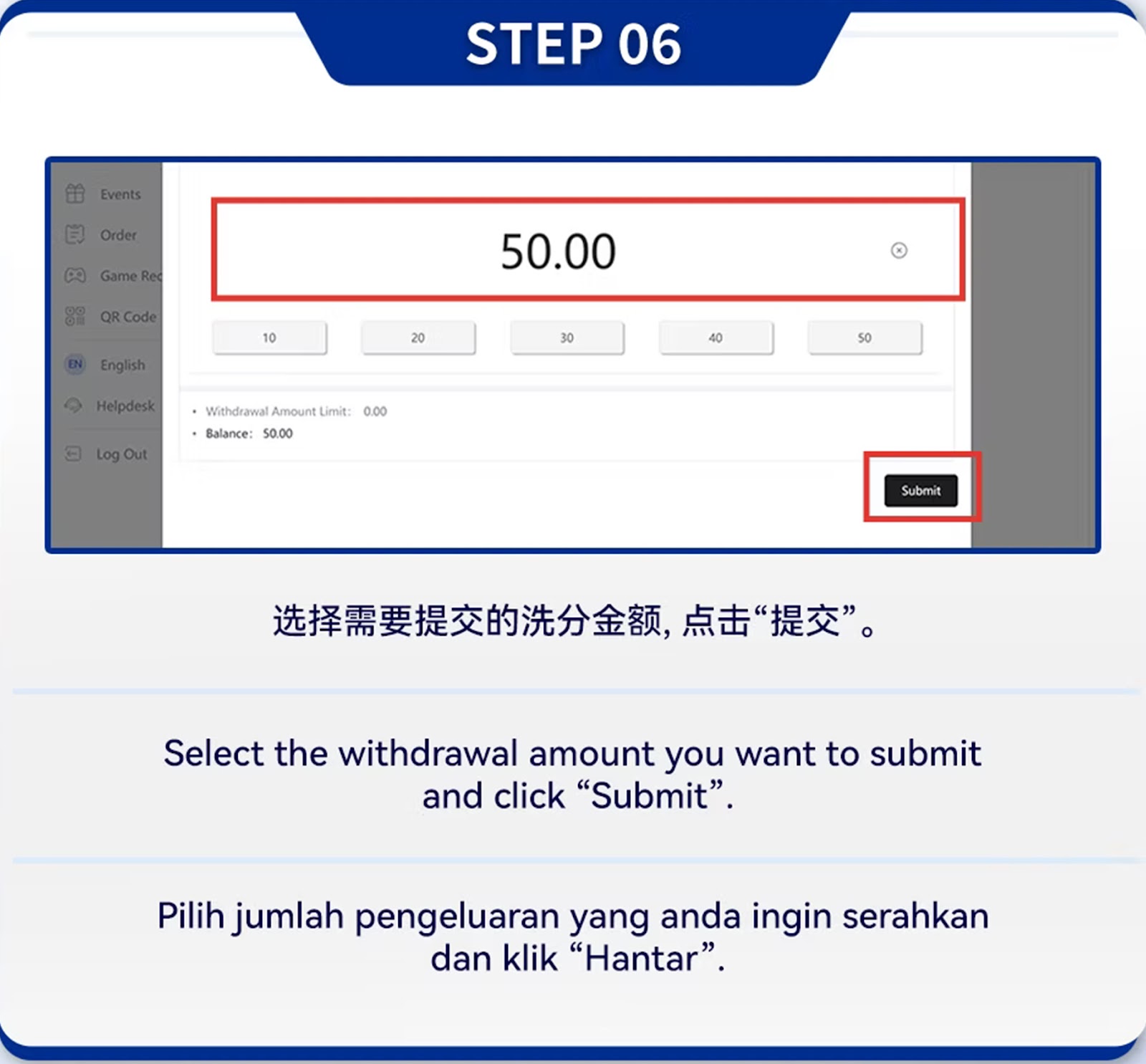
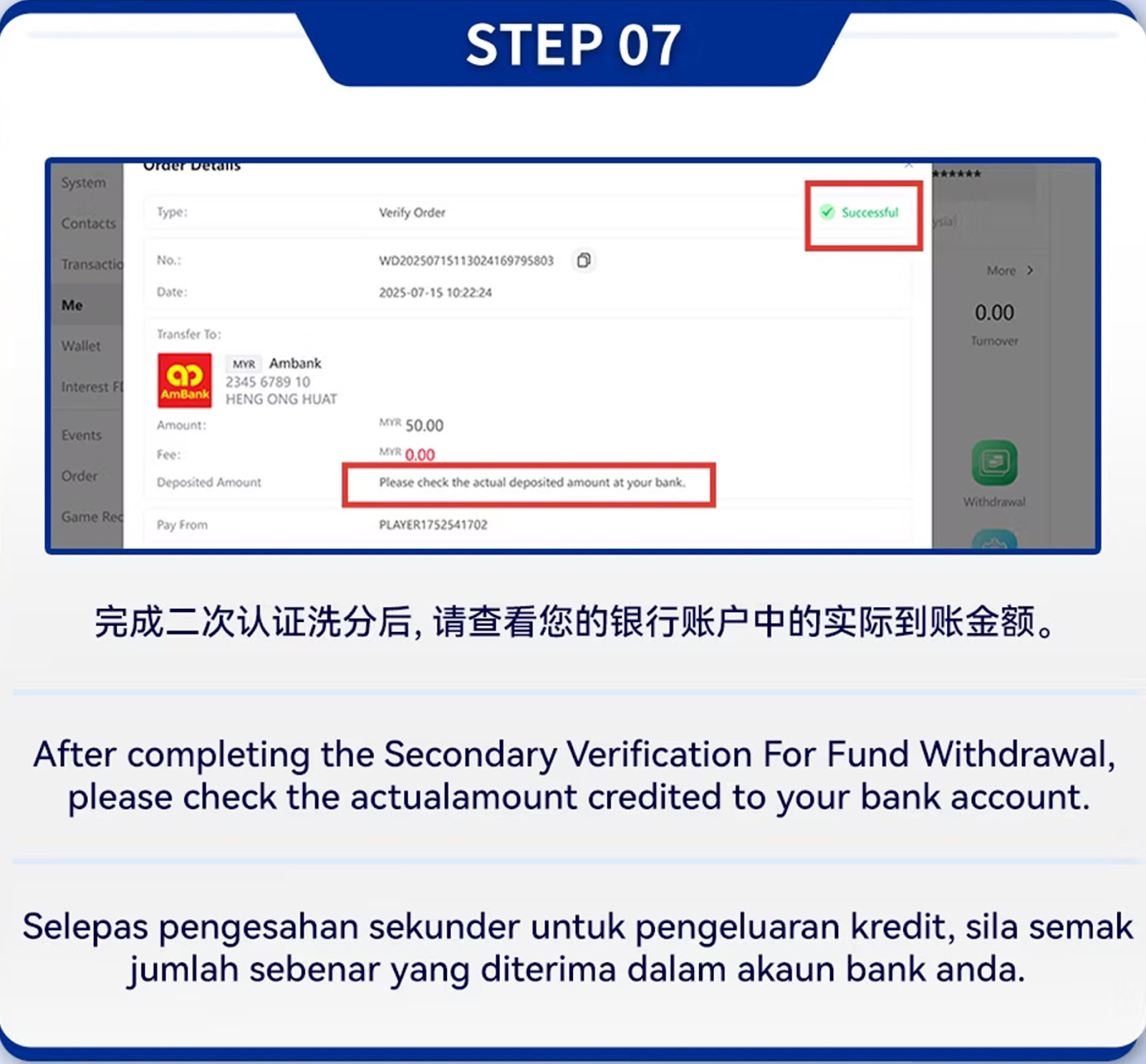
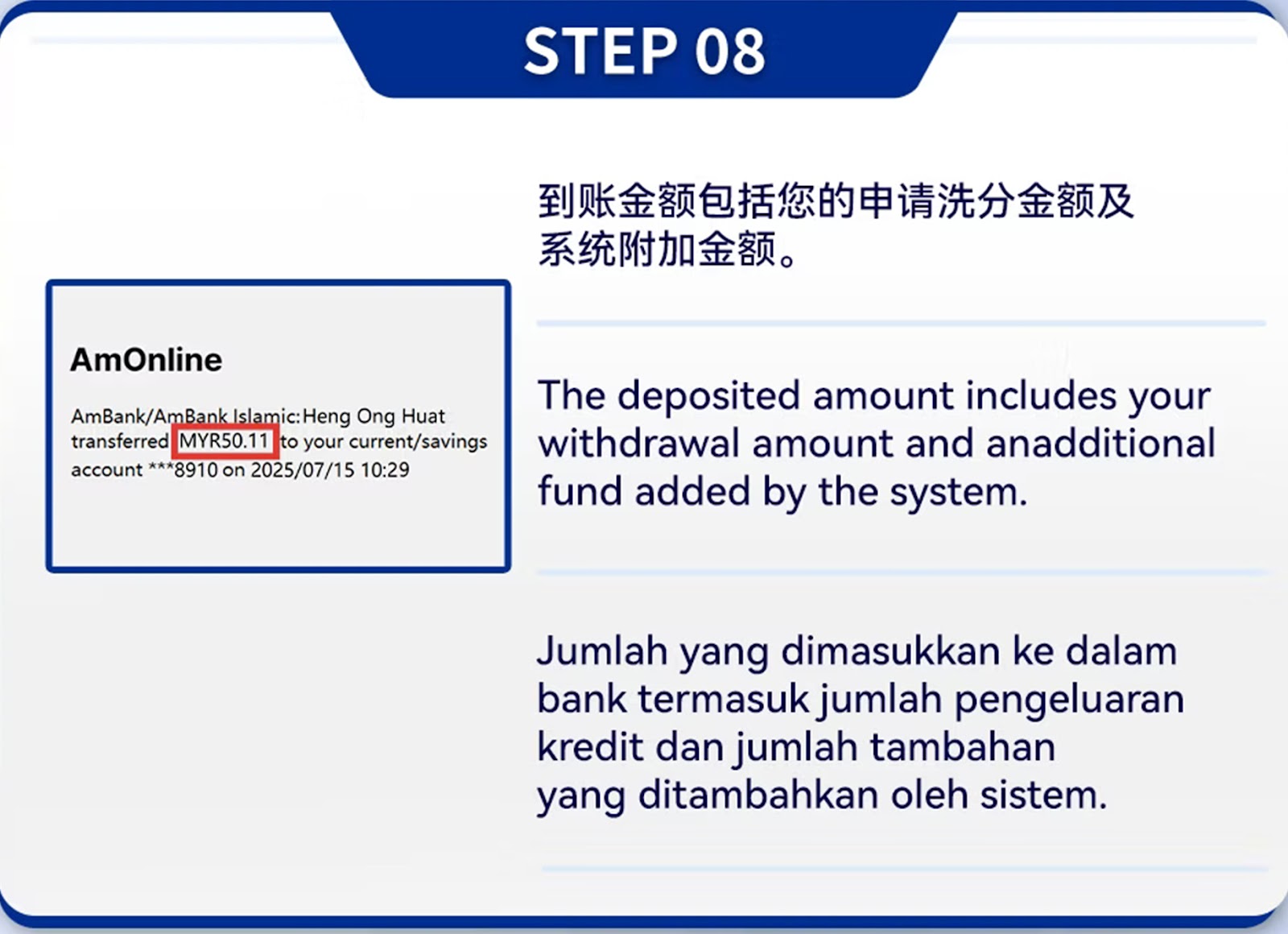
Step 01 – Information Submission Stage
Fill in your required personal information exactly as it appears in your bank documents.
Step 02 – Upload Required Documents
Upload a clear photo of your ID and a selfie holding your ID for identity confirmation.
Step 03 – Privacy Verification Stage
The system verifies identity data and contact information.
Step 04 – Bank Binding Requirements
Bind a bank account under your name to meet verification standards.
Step 05 – ID & Ownership Match Check
The system checks whether your ID details match your bank account ownership.
Step 06 – Deposit Verification (Amount Entry)
Enter the system-indicated verification deposit amount.
Step 07 – Upload Deposit Receipt
Upload the receipt after transferring the verification amount.
Step 08 – System Review of Deposit
The system verifies deposit accuracy before approval.
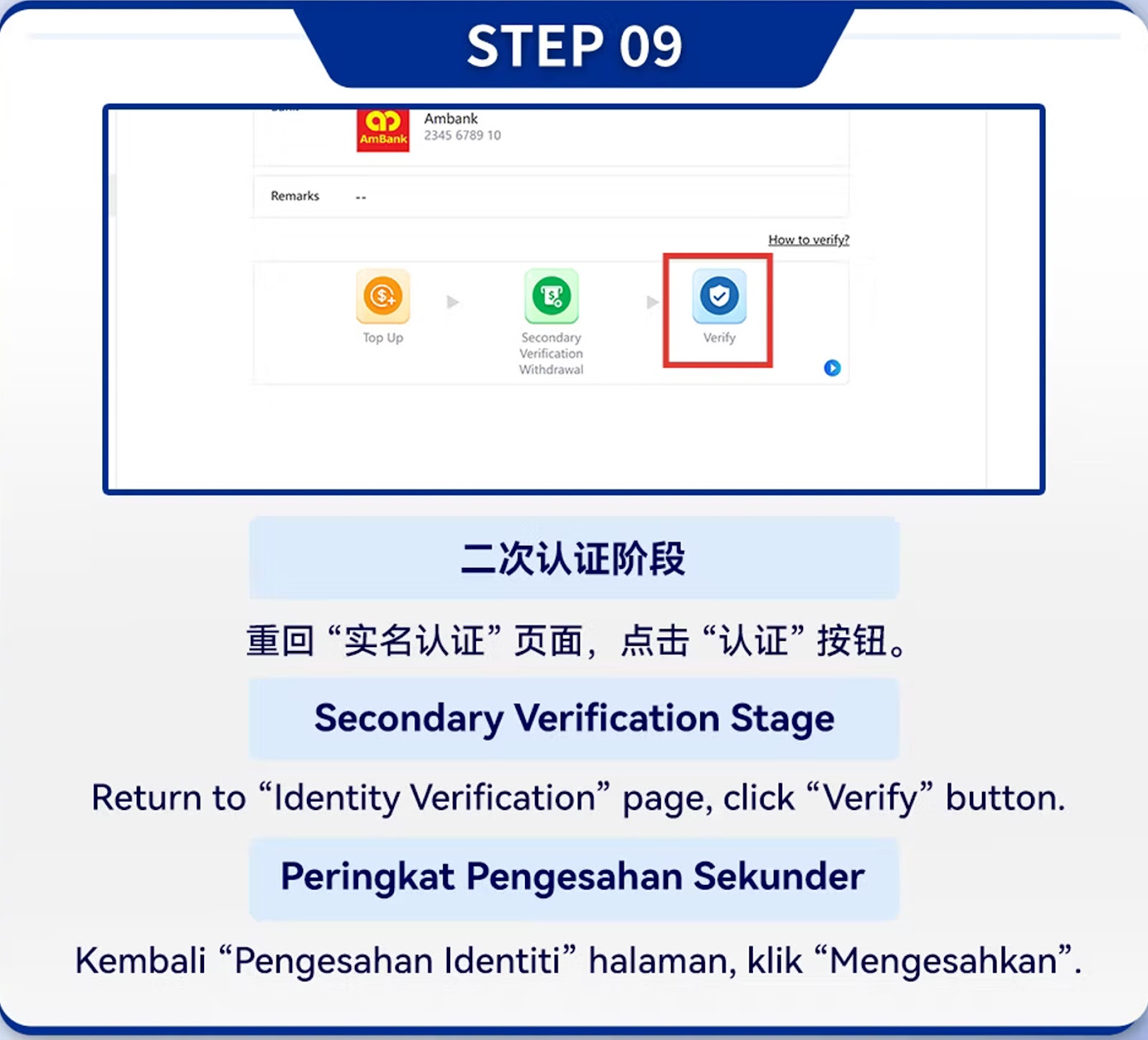
Step 09 – Secondary Verification Check
Proceed to secondary verification after passing deposit review.
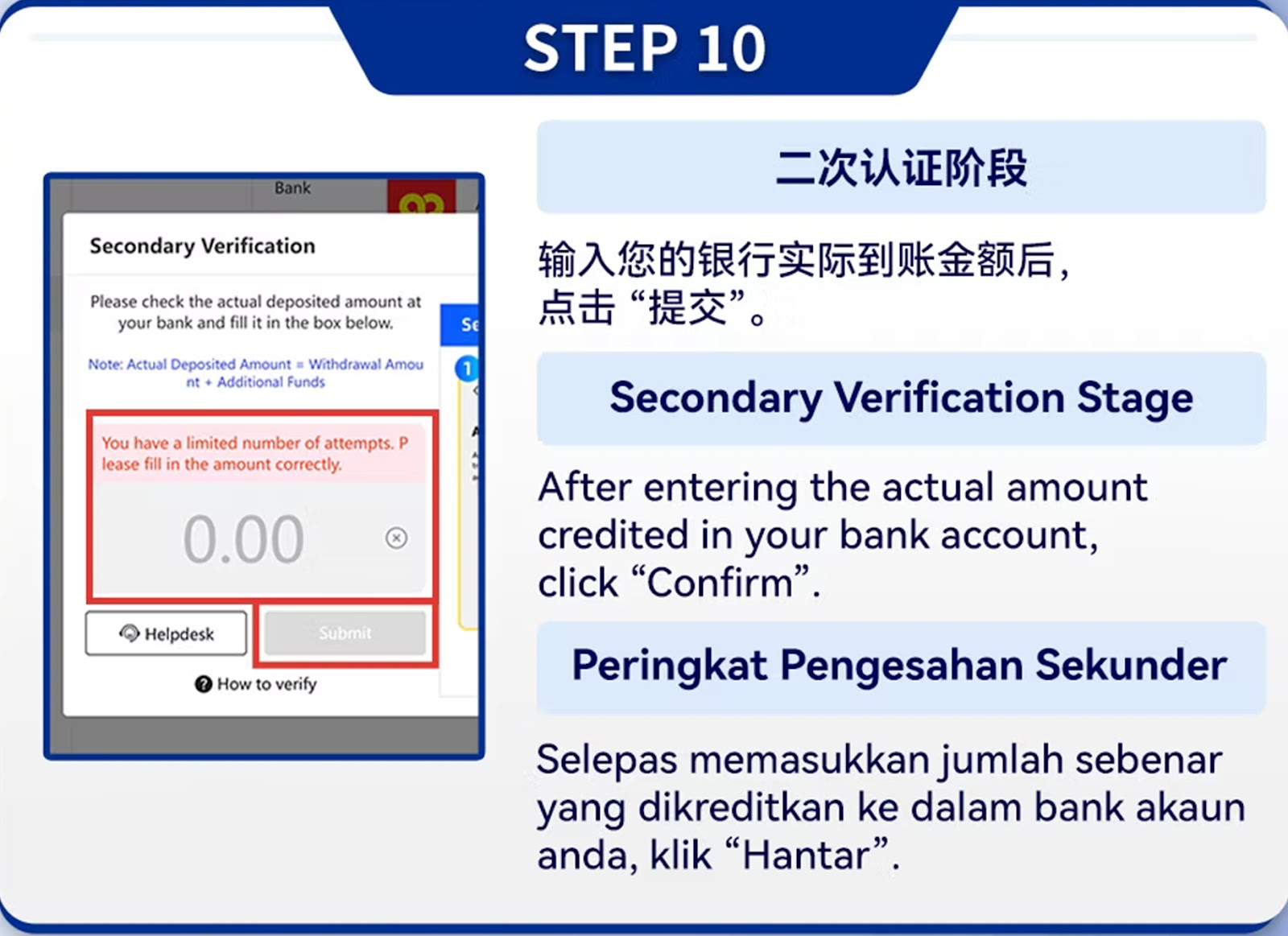
Step 10 – Verification Outcome
System approves the match between identity and bank records.
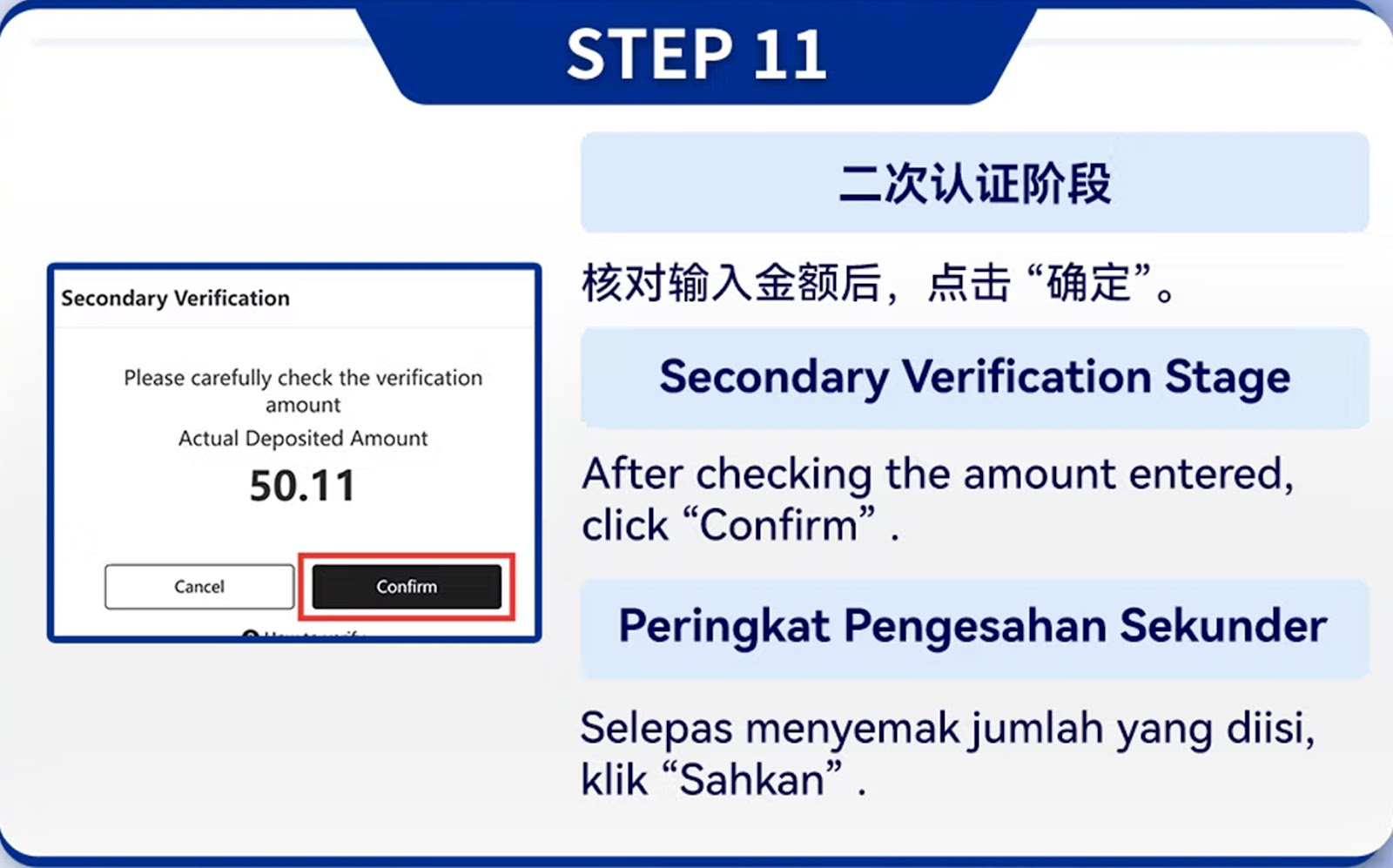
Step 11 – Confirmation of Verified Amount
The system confirms the matched deposit amount.
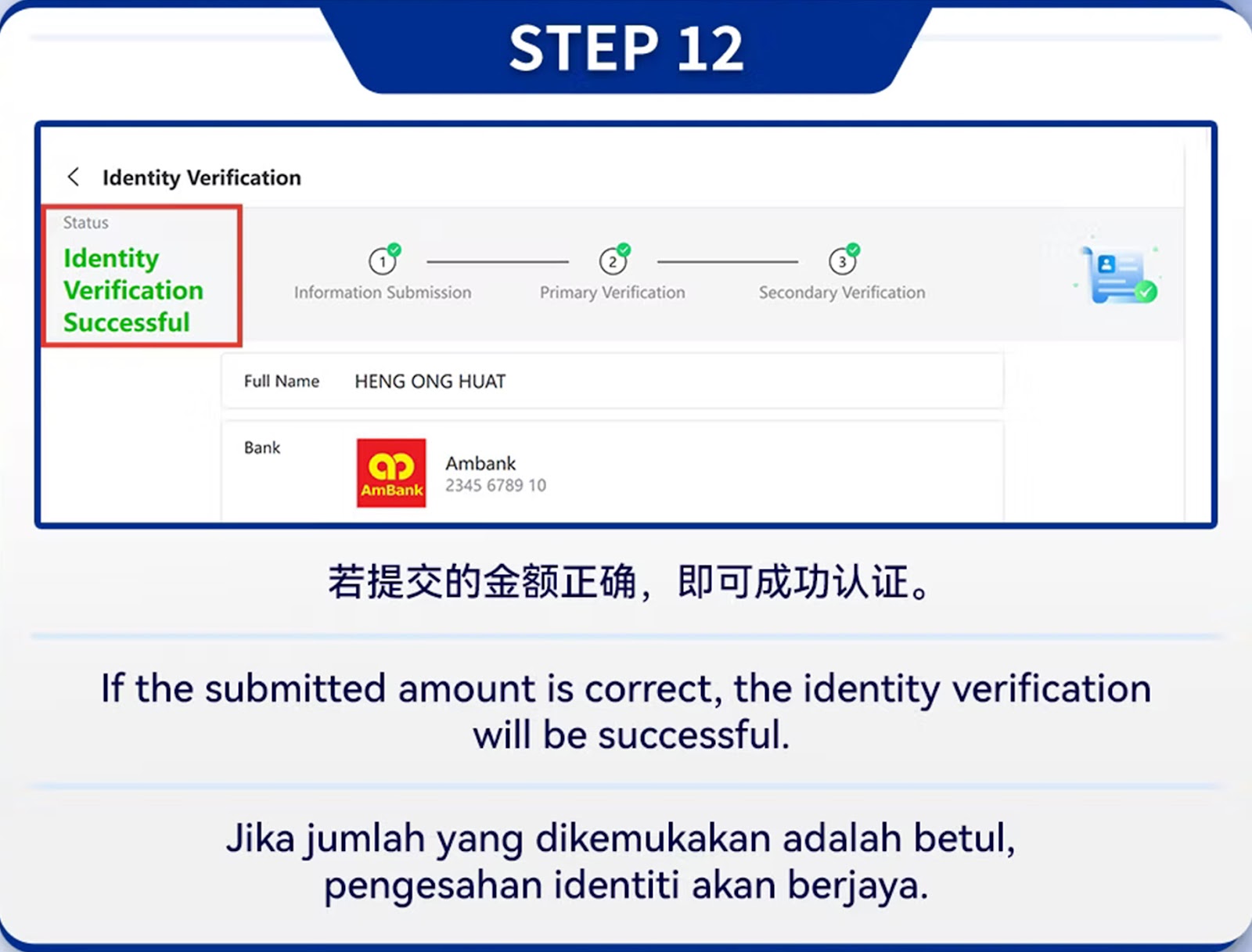
Step 12 – Final Approval
Once approved, your account is fully verified and ready for deposit and withdrawal.
Verification Video Tutorial
Watch the Official Identity Verification Guide
A complete video tutorial is available for users who prefer visual step-by-step instructions on identity verification for WInbox88 Winbox 88.
Start Depositing Securely with WInbox88 Winbox 88
Complete your identity verification and top up using EZPAY, WINPAY, or e-Wallet for fast and secure deposits into your WInbox88 Winbox 88 account.