 English
 简体中文
简体中文
 Bahasa Melayu
How to Top Up WInbox88 Winbox 88 Using E-Wallet
Before You Begin
WInbox88 Winbox 88 supports multiple e-wallet deposit methods. Method A is used for Touch ’n Go and Boost, while Method B applies to ShopeePay, GrabPay, and MCash. Select the method based on your preferred e-wallet provider.
E-Wallet Top Up Guide – Method A (Touch ’n Go / Boost)
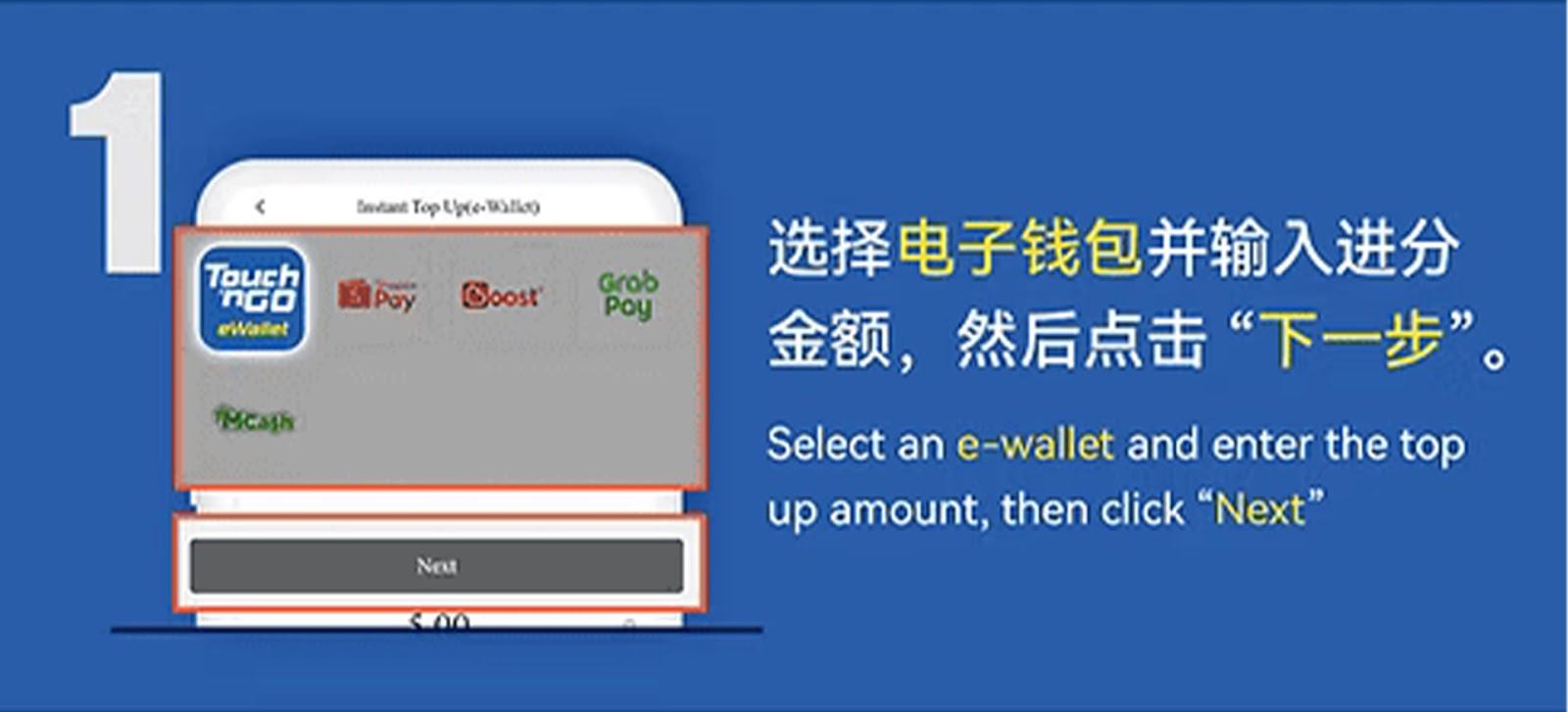
Step 1 – Select Your E-Wallet Payment Method
Choose Touch ’n Go or Boost as your top-up method within your WInbox88 Winbox 88 account, enter the deposit amount, and tap "Next" to proceed.
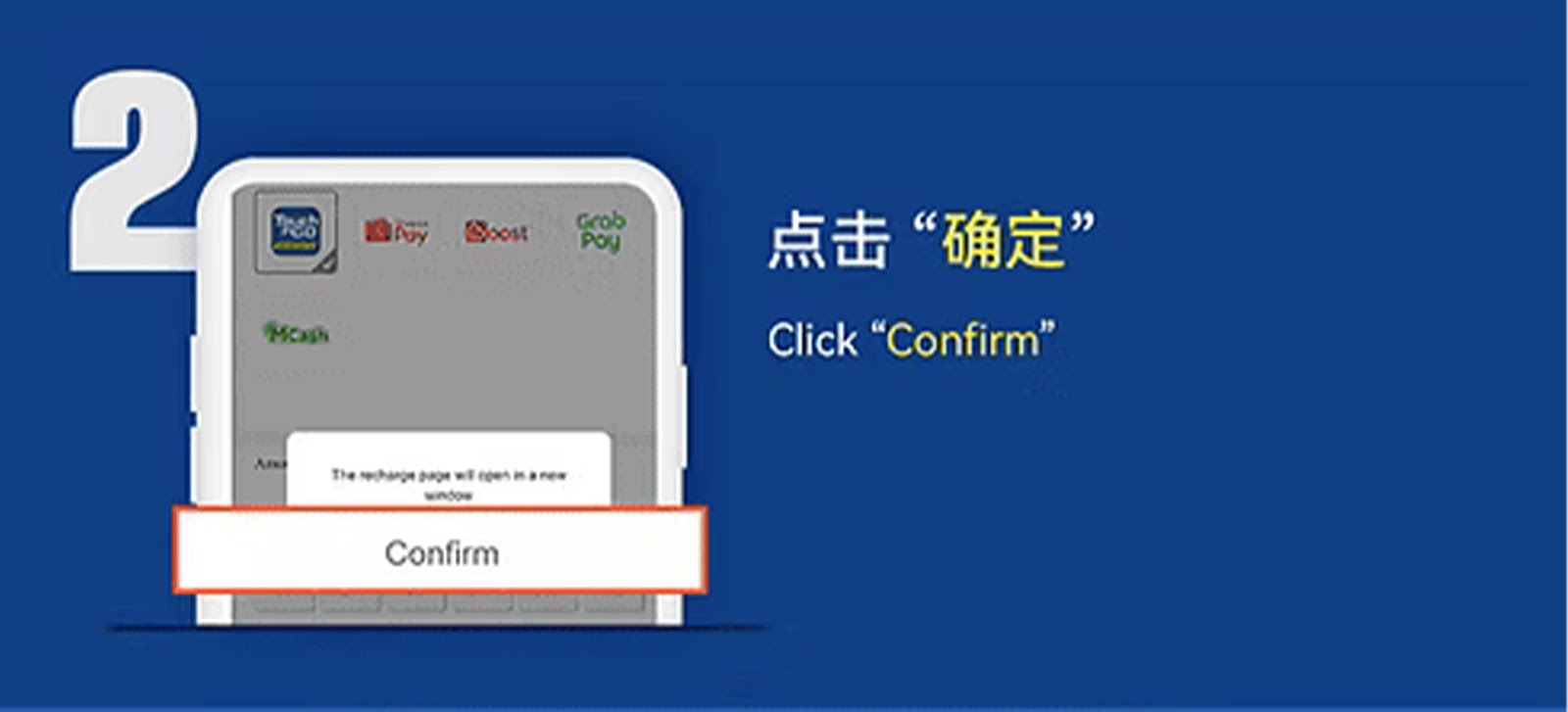
Step 2 – Click "Confirm"
Review your selected e-wallet provider and confirm the details to move forward with the payment process.
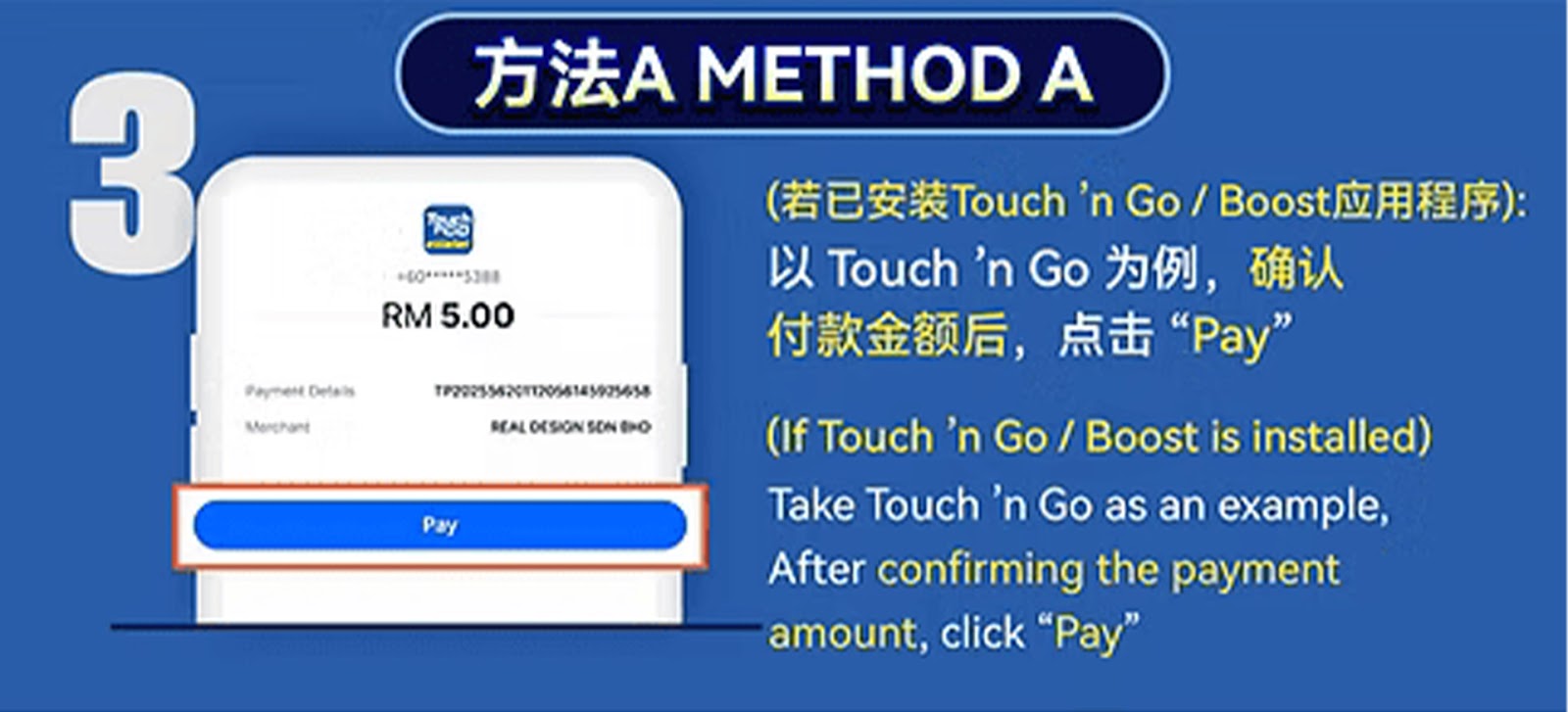
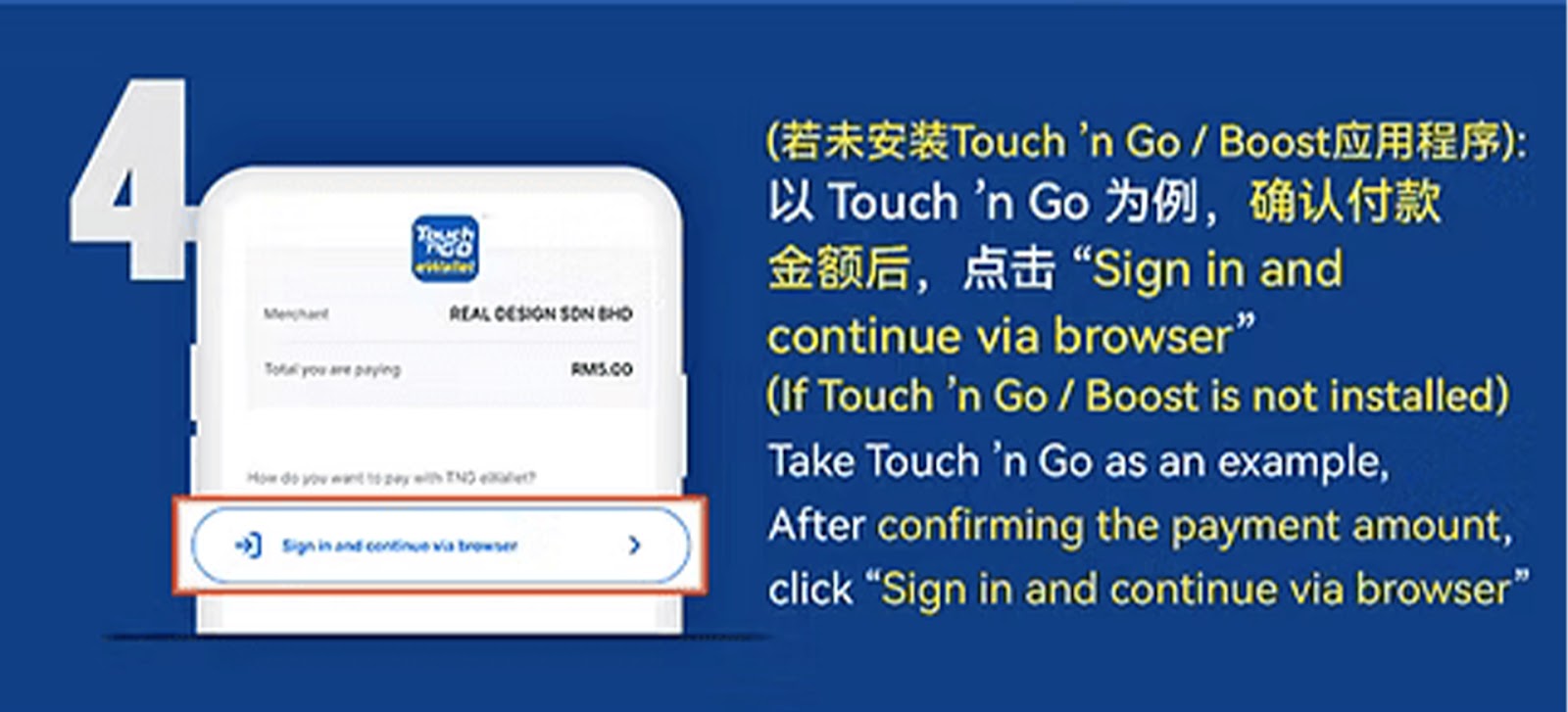
Step 3 – Enter Payment Amount and Continue
Re-select your preferred e-wallet option, input the top-up amount, then click "Pay" or "Continue to Browser" to start the transaction.
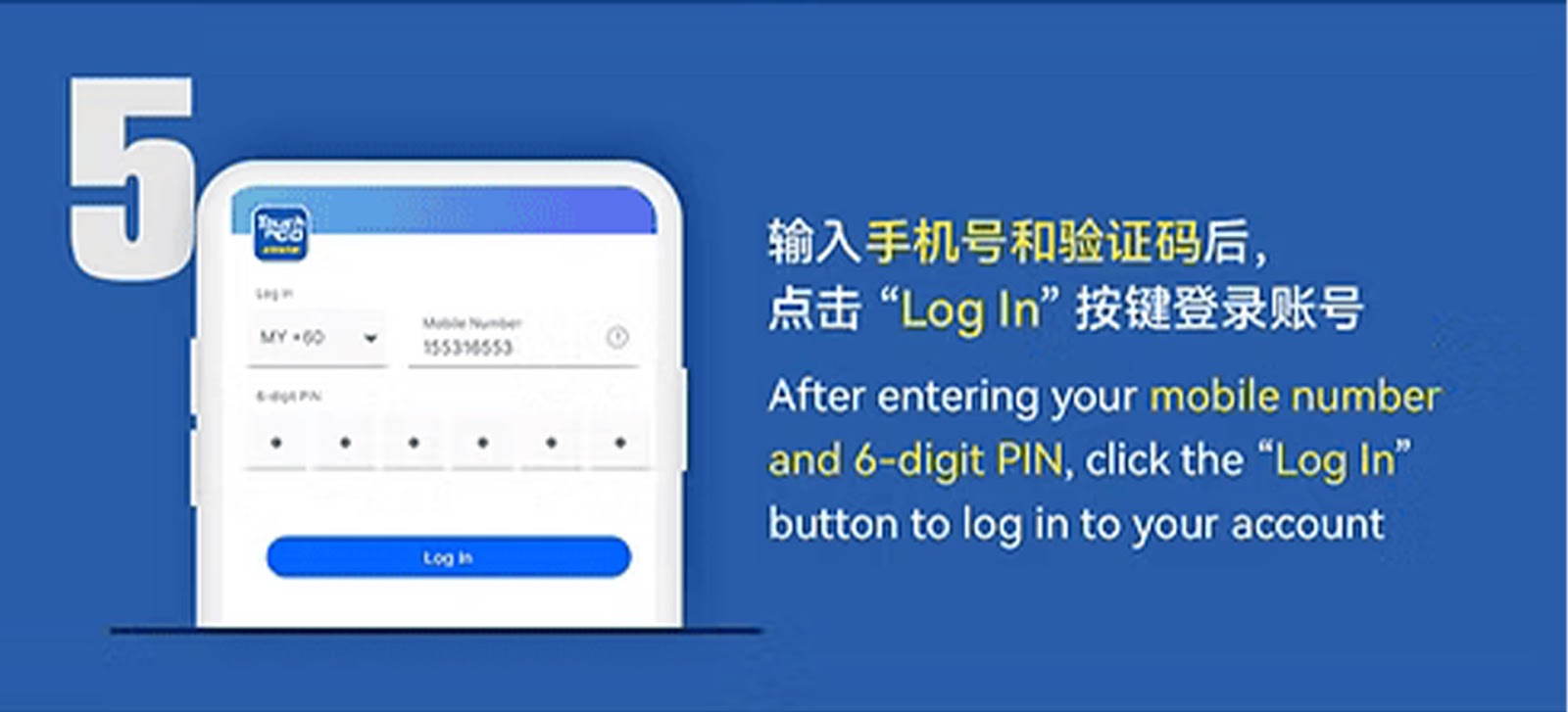
Step 4 – Log In to Your E-Wallet Account
Enter your registered mobile number and follow the instructions to sign in to your Touch ’n Go or Boost account securely.
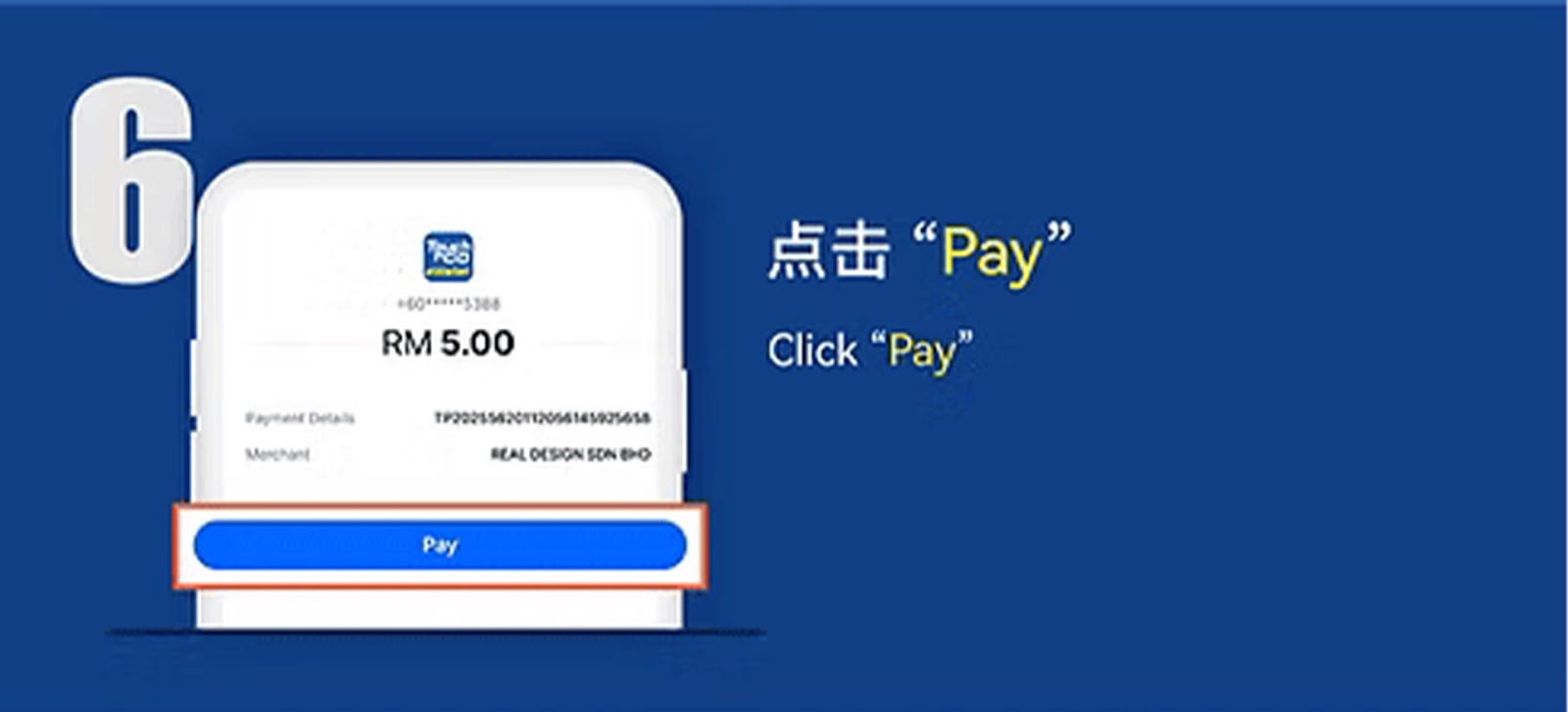
Step 5 – Tap "Pay"
Verify your transaction details and confirm the payment by tapping "Pay" inside your e-wallet interface.
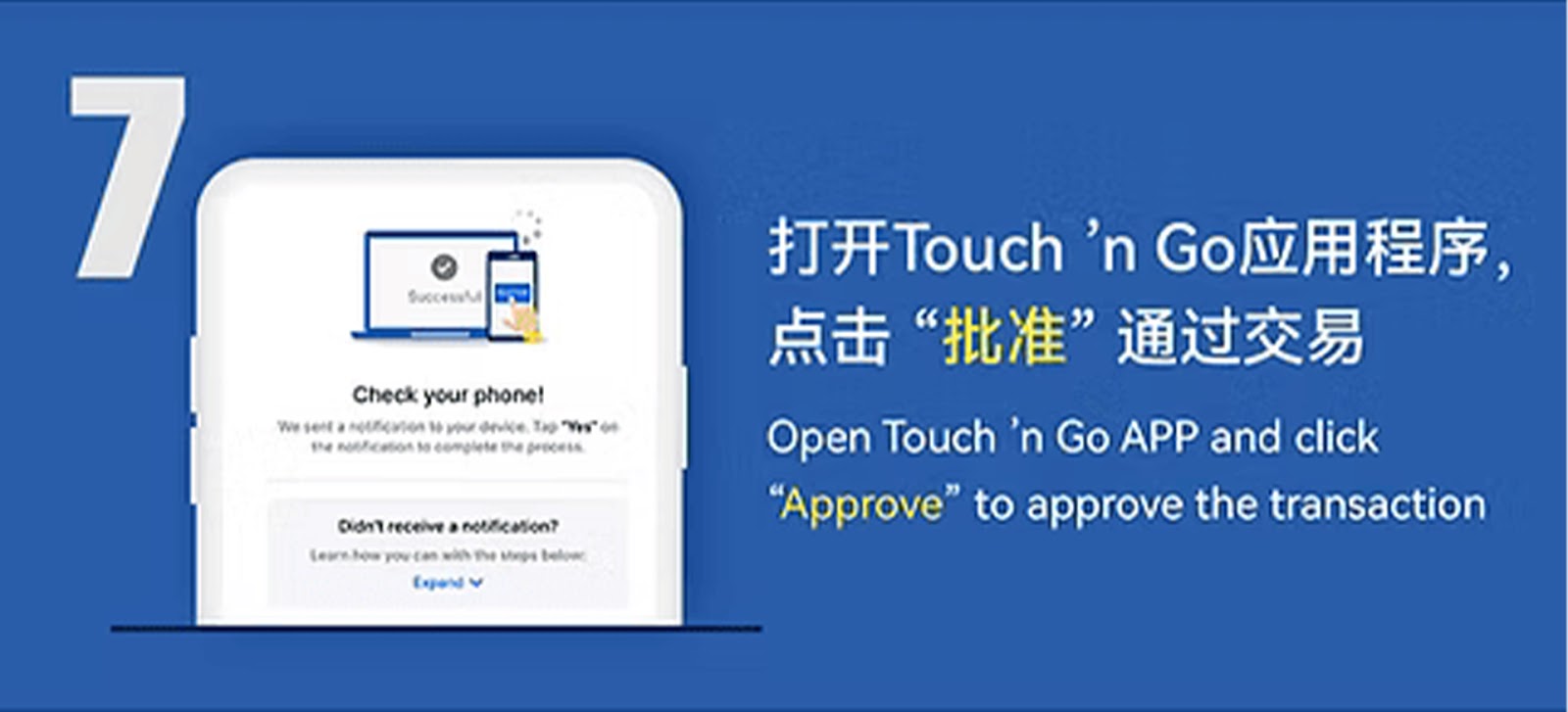
Step 6 – Approve the Transaction in the E-Wallet App
Open your Touch ’n Go or Boost app to complete any required verification steps, then tap "Approve" to authorize the payment.
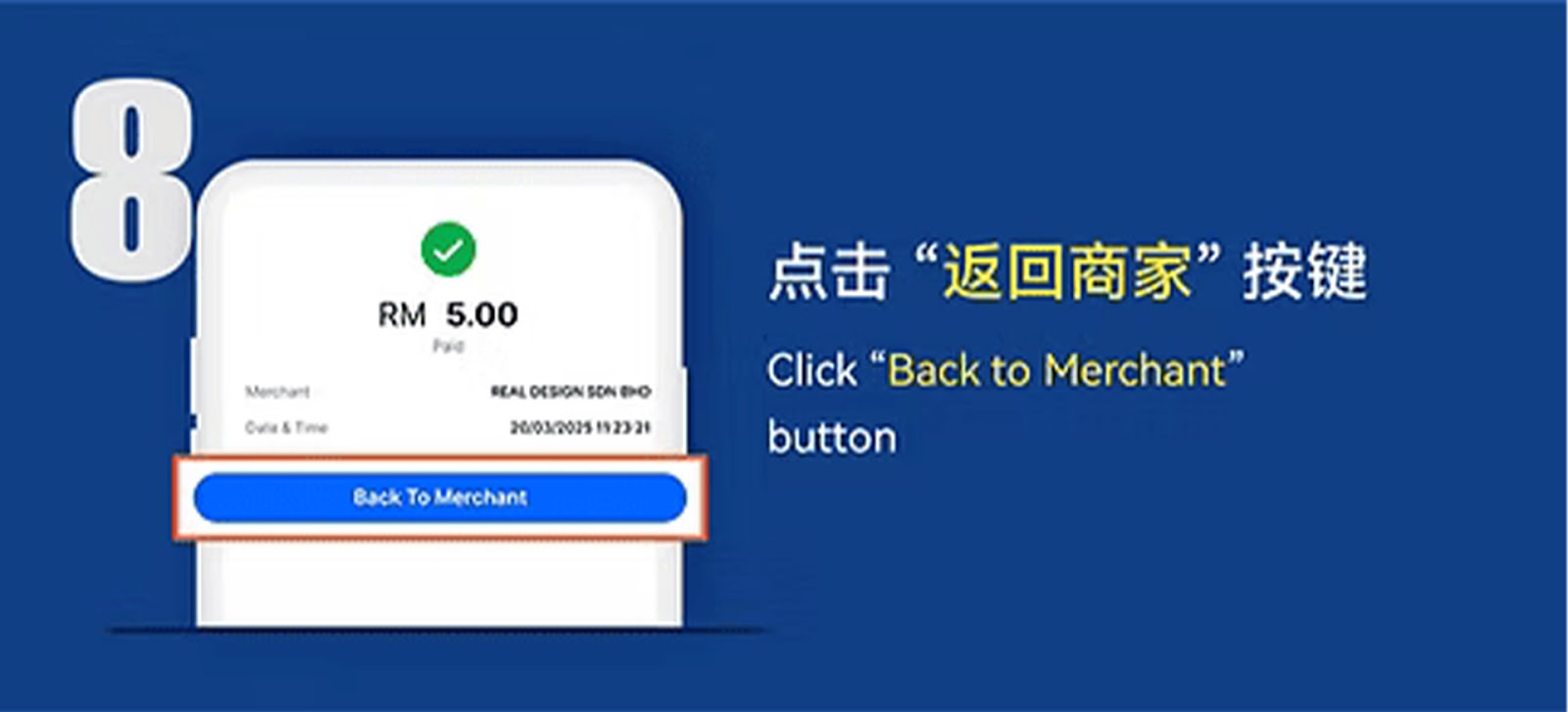
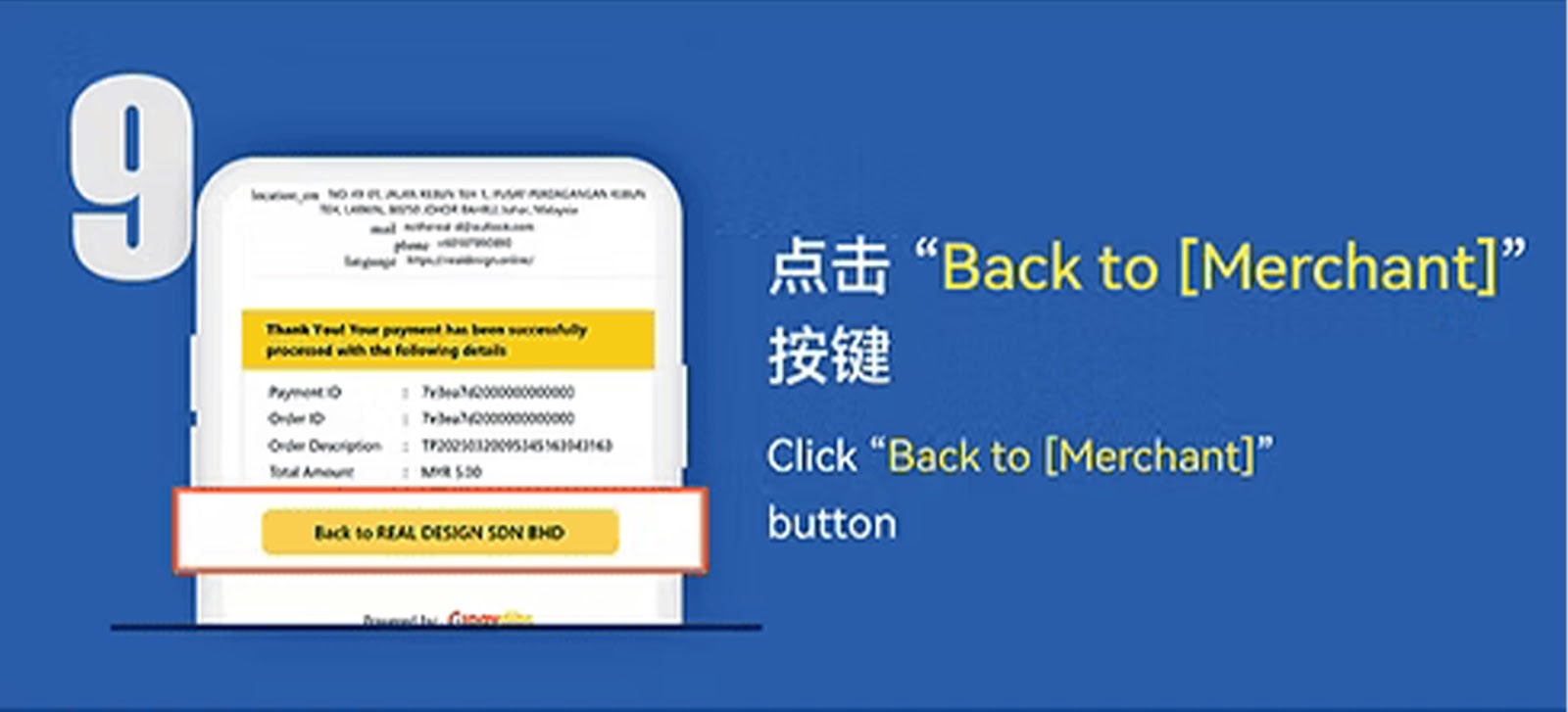
Step 7 – Click "Back to Merchant"
After successful authorization, tap "Back to Merchant" to return to WInbox88 Winbox 88’s confirmation page.
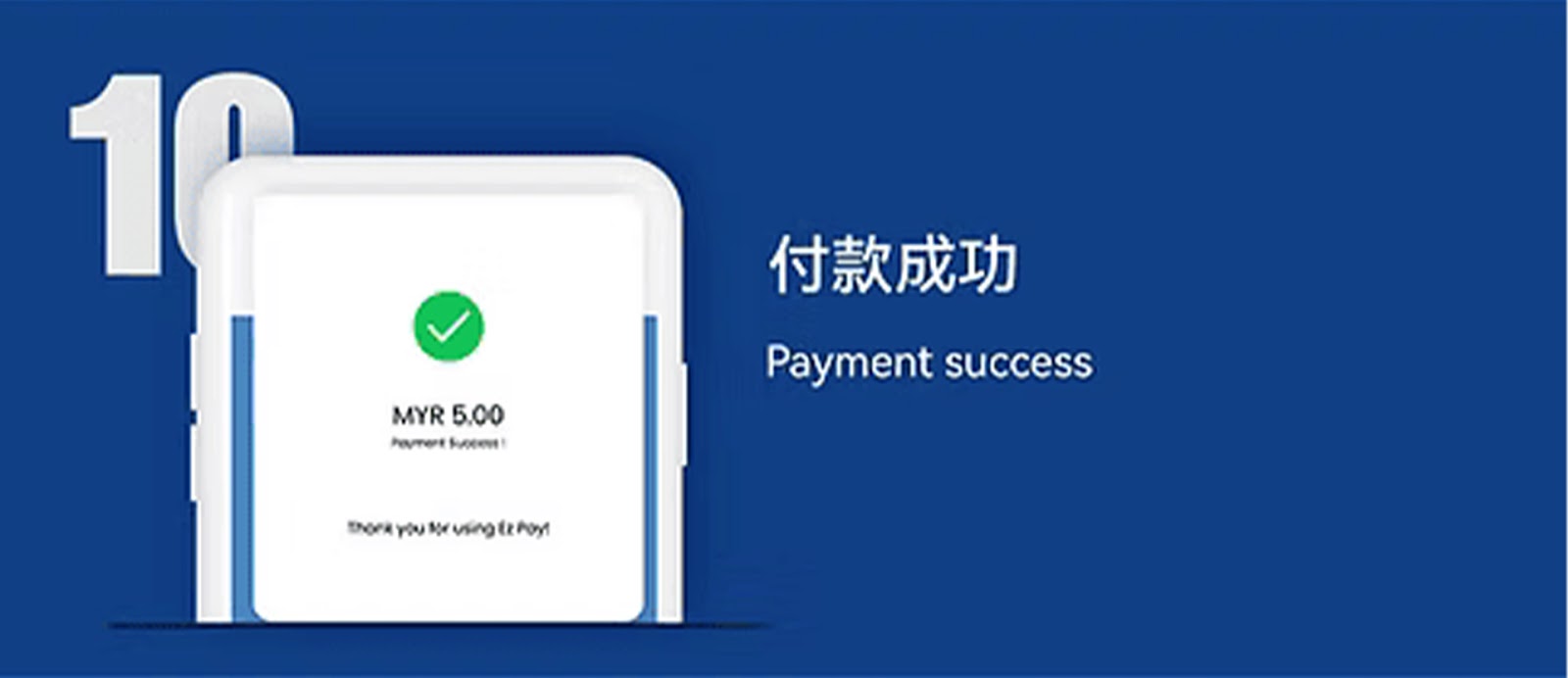
Step 8 – Top Up Successful
Once the system confirms your payment, your WInbox88 Winbox 88 balance will be updated automatically.
E-Wallet Top Up Guide – Method B (ShopeePay / GrabPay / MCash)
Step 1 – Select Your E-Wallet Method
Choose ShopeePay, GrabPay, or MCash from the available e-wallet list and click "Next" to continue.
Step 2 – Click "Confirm"
Review the chosen e-wallet provider and tap "Confirm" to proceed with the next step.
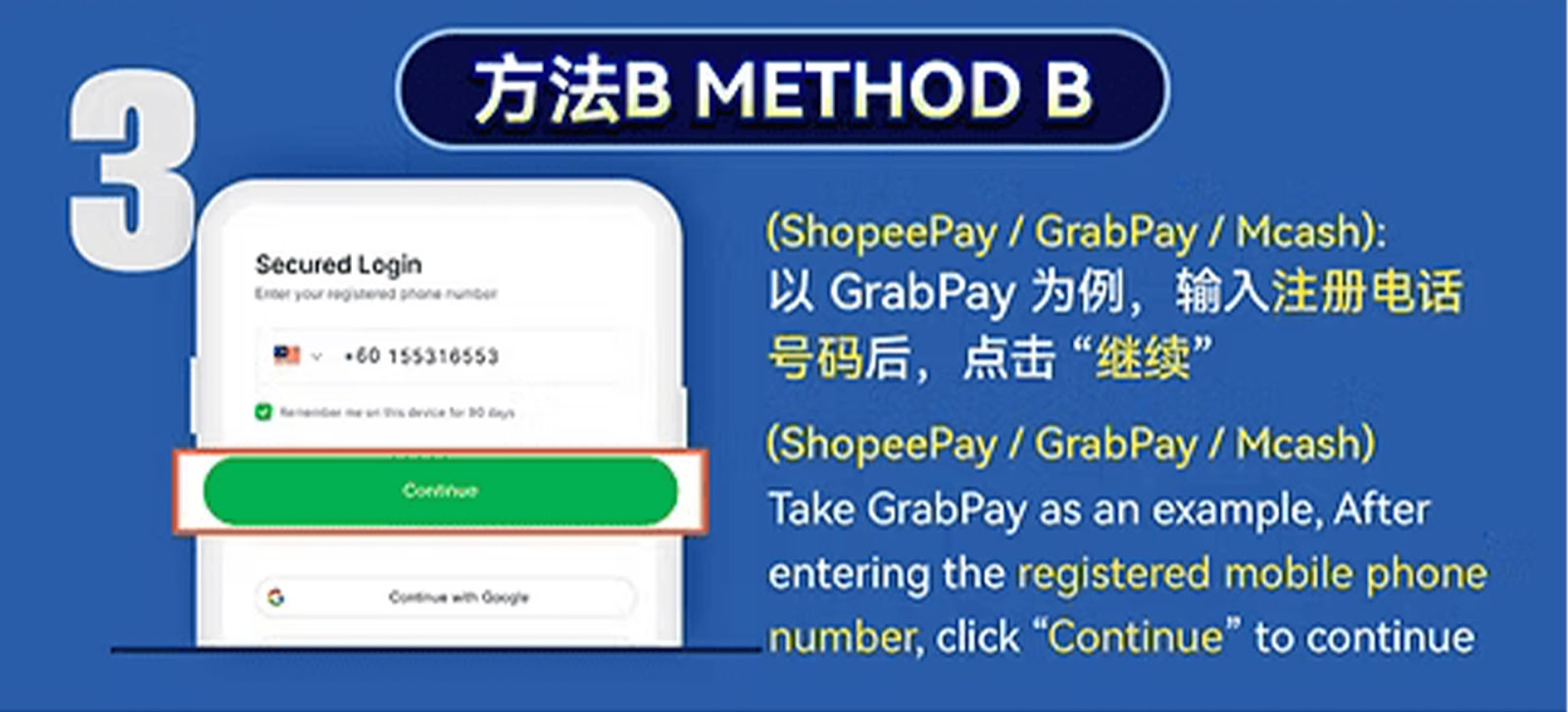
Step 3 – Enter Your Mobile Number
Input the phone number registered with your selected e-wallet so the system can match your payment request.
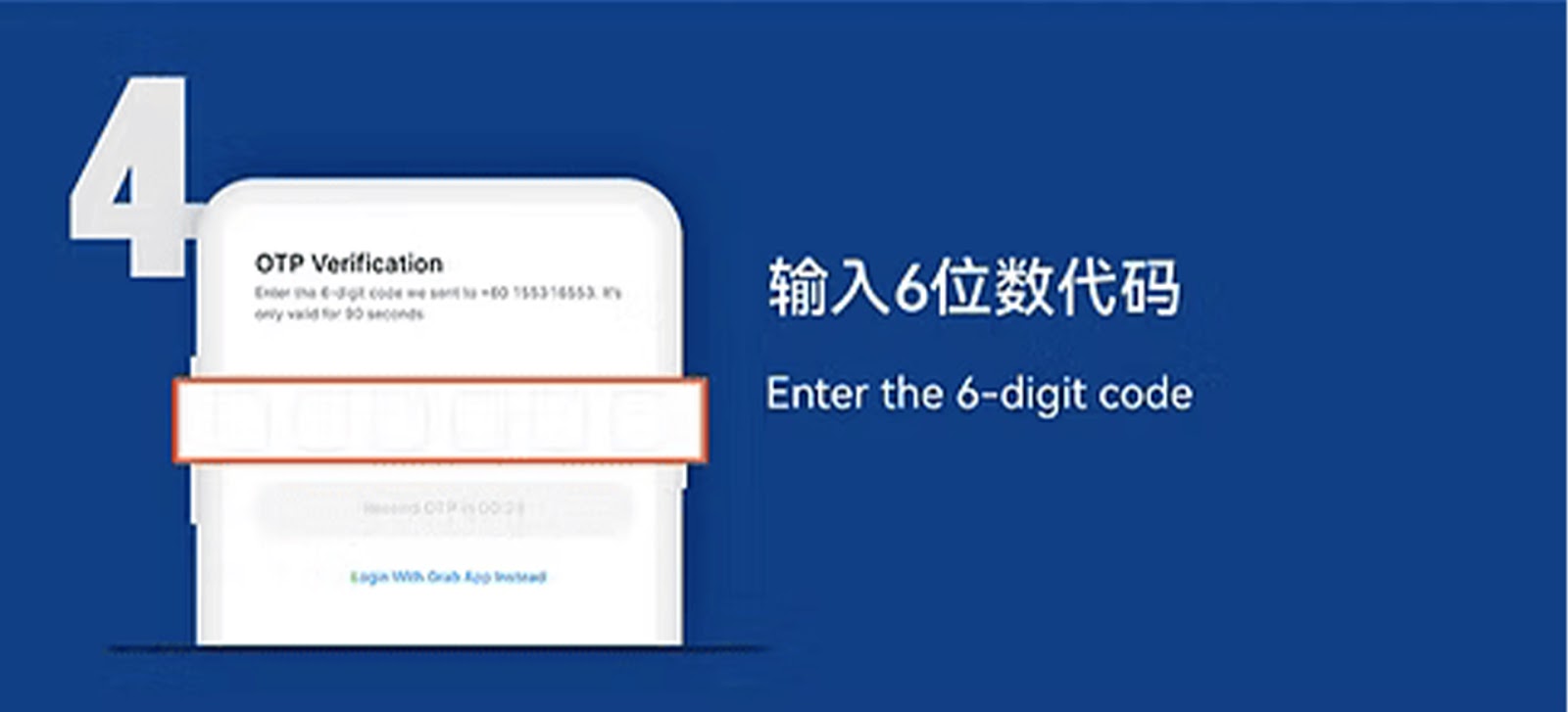
Step 4 – Enter the 6-Digit Verification Code
You will receive a one-time password (OTP). Enter the 6-digit code to verify your mobile number and identity.
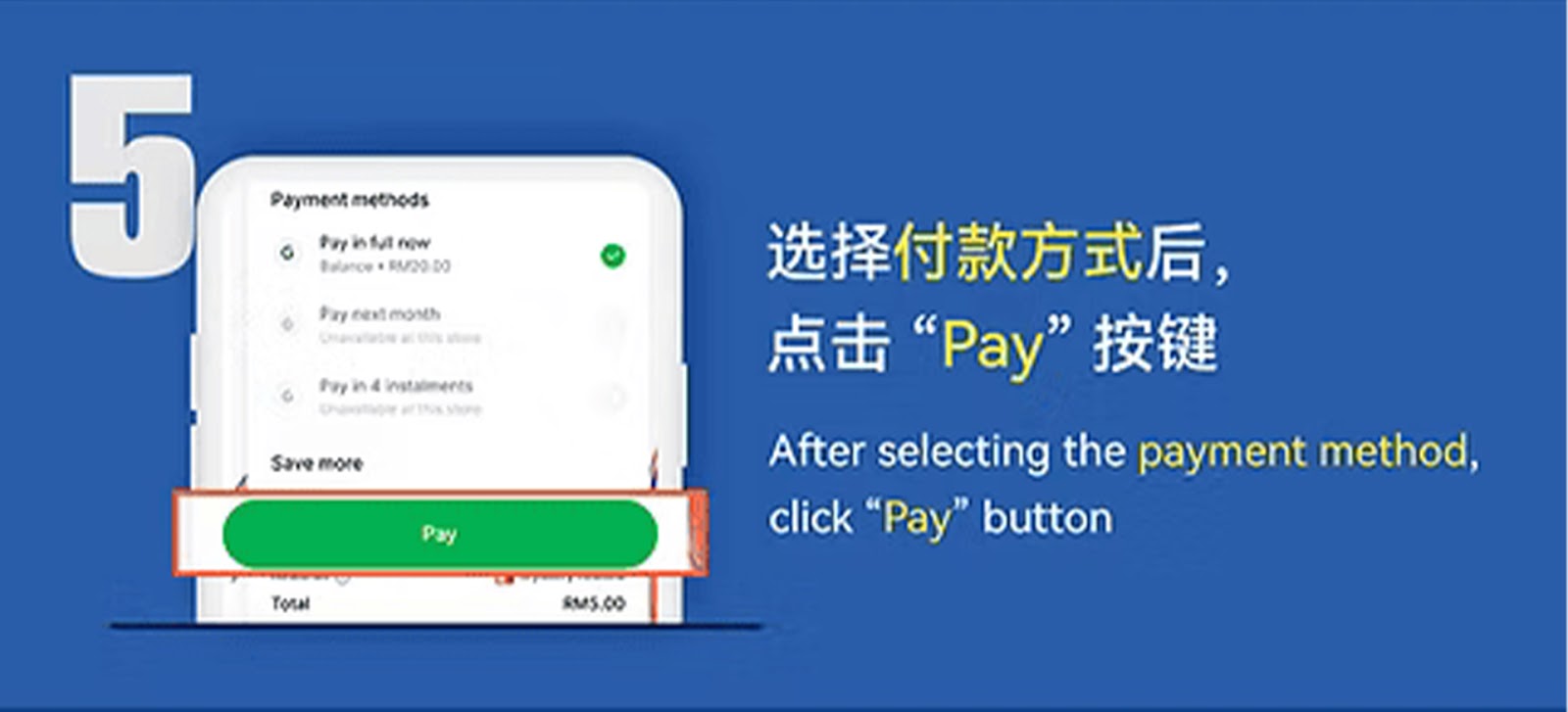
Step 5 – Select Payment Option and Tap "Pay"
Choose your preferred payment choice from the e-wallet interface and click "Pay" to confirm your top-up.
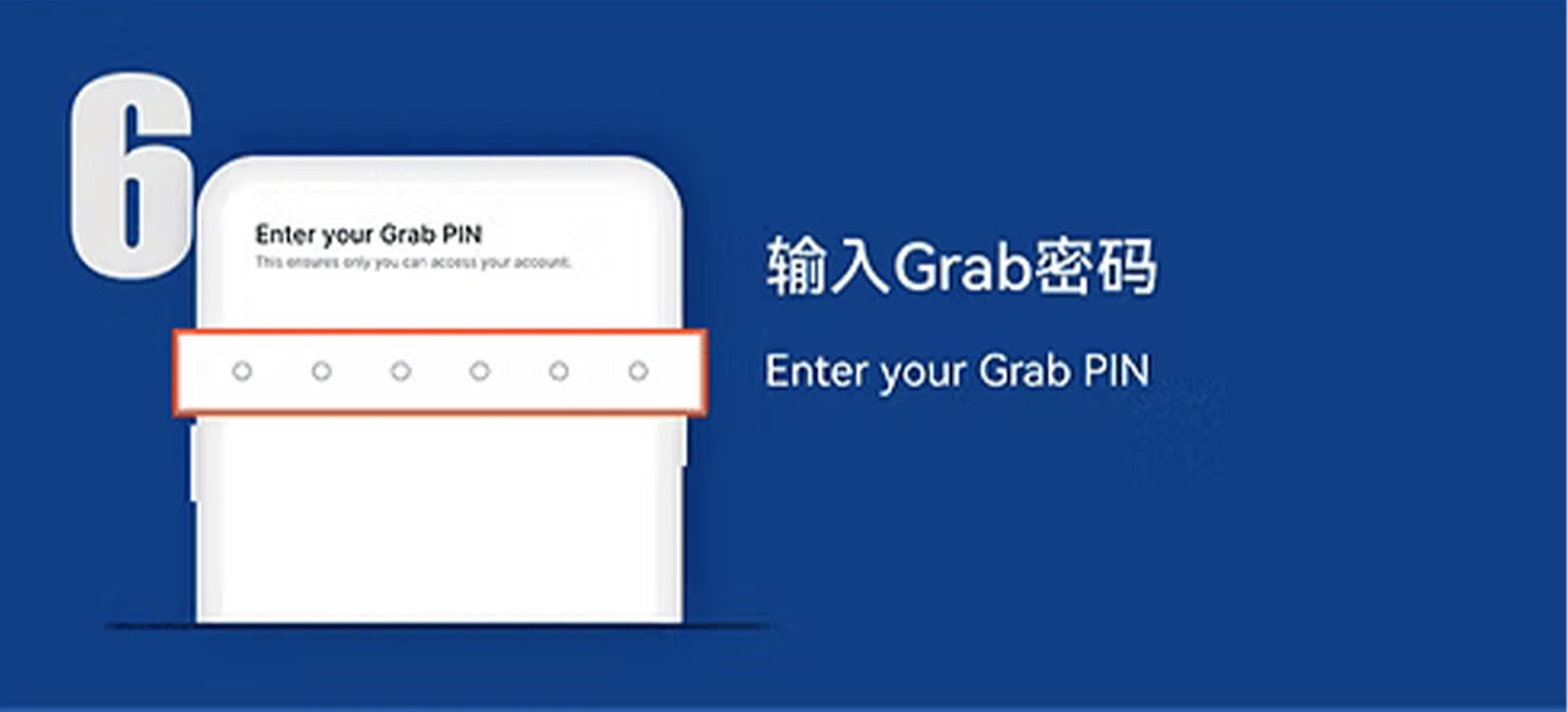
Step 6 – Enter GrabPay PIN (For GrabPay Users Only)
If using GrabPay, enter your PIN to authorize the transaction securely.
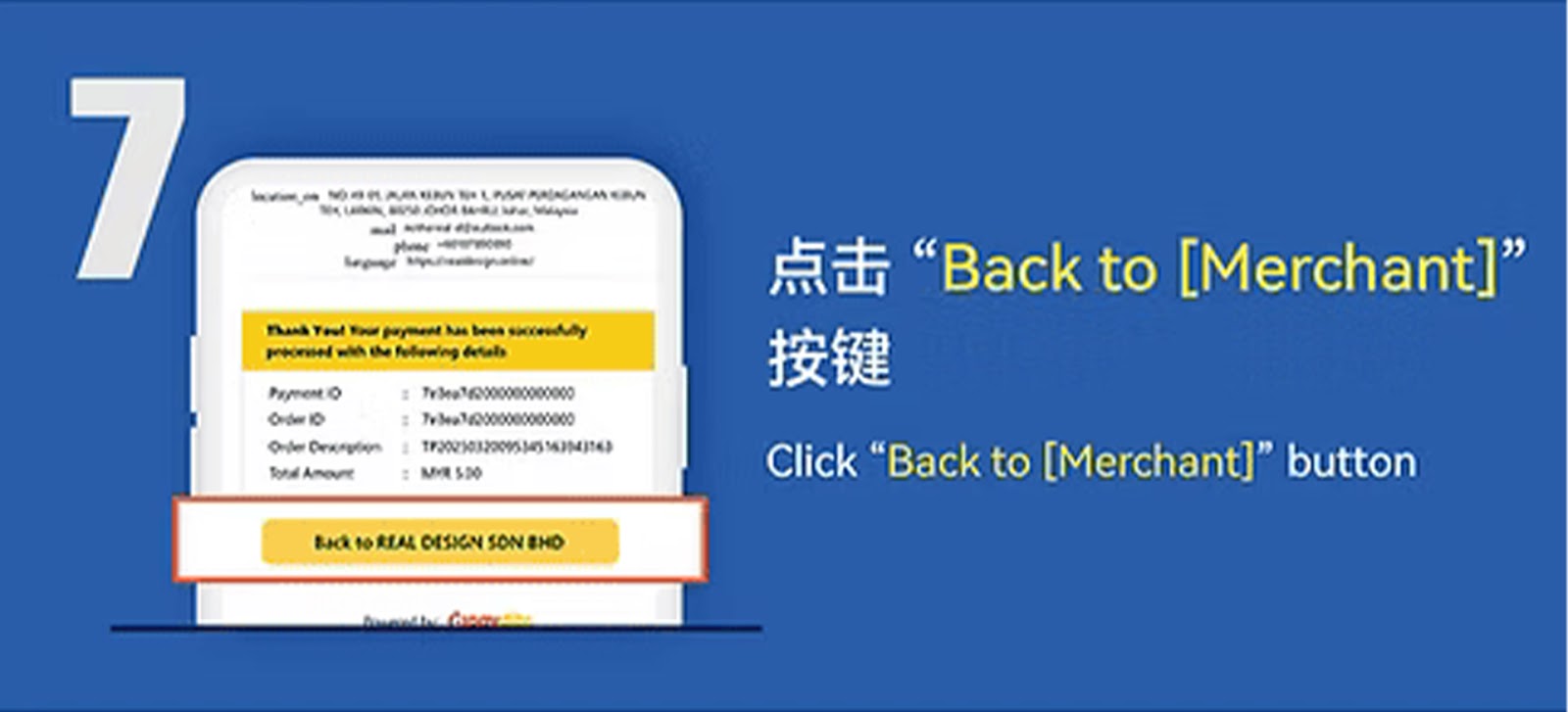
Step 7 – Click "Back to Merchant"
After your payment is completed, tap "Back to Merchant" to return to the WInbox88 Winbox 88 site.
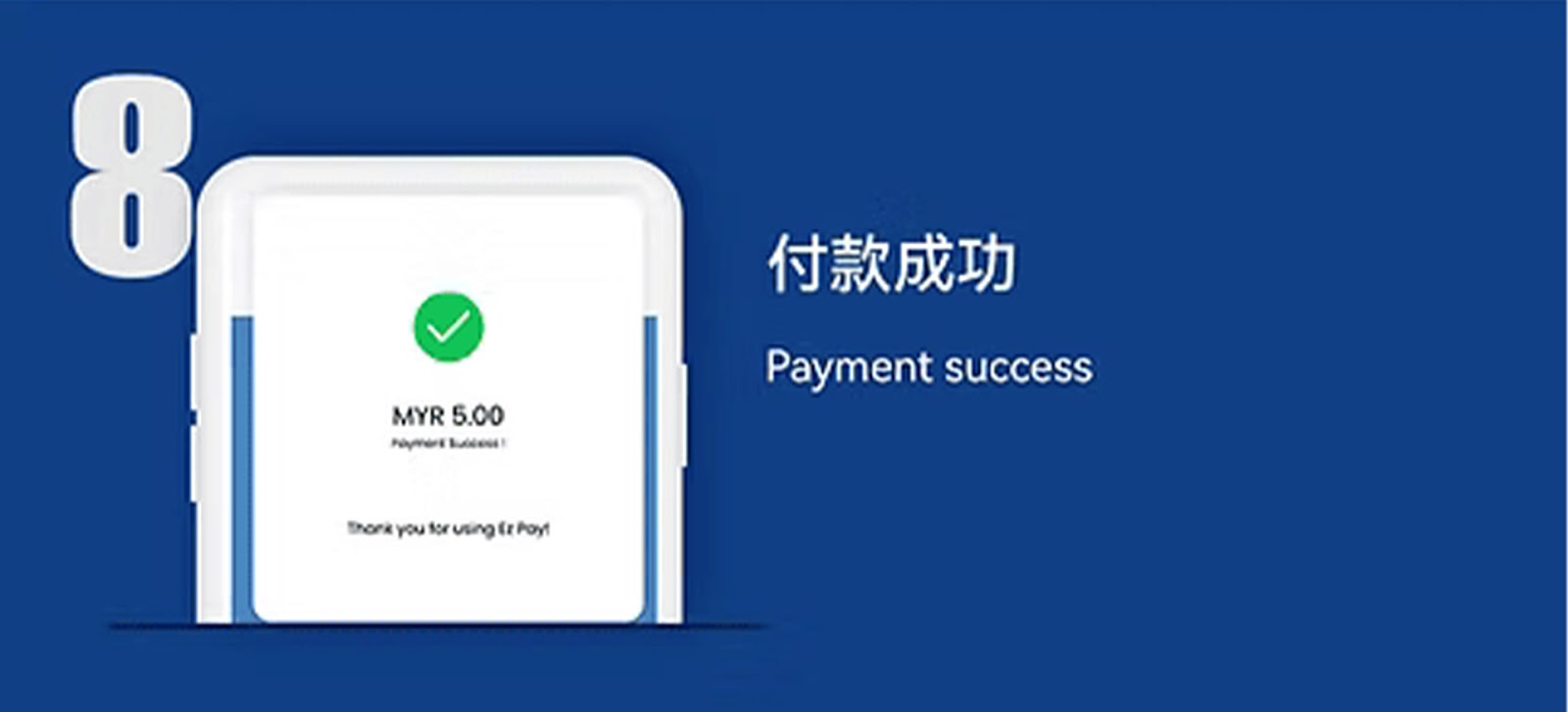
Step 8 – Payment Successful
Your WInbox88 Winbox 88 account will reflect your top-up amount immediately after payment verification.
Why Use E-Wallet for WInbox88 Winbox 88 Top-Ups
Fast and Convenient Transactions
E-wallet top-ups offer a quick and direct way for WInbox88 Winbox 88 users to deposit funds with minimal steps involved.
Secure and Verified Payments
WInbox88 Winbox 88 collaborates with trusted e-wallet providers to ensure safe, encrypted, and reliable deposit processing.
Supports Multiple E-Wallets
Choose from Touch ’n Go, Boost, ShopeePay, GrabPay, or MCash depending on your convenience and preferred payment method.
Start Your WInbox88 Winbox 88 E-Wallet Top Up
Choose your preferred e-wallet and follow the simple steps to make an instant and secure deposit into your WInbox88 Winbox 88 account.